Best VPN for Nvidia Shield TV in 2026 — Tested & Setup Guide
Find the best VPN for Nvidia Shield TV. We tested 10+ VPNs for native Android TV support, streaming speeds, and easy setup. Step-by-step install guide included.
Best VPN for Nvidia Shield TV in 2026 — Tested & Setup Guide
The Nvidia Shield TV and Shield TV Pro remain the most capable Android TV streaming devices in 2026. But without a VPN, your Shield is limited to whatever content your region allows — and your ISP can see and throttle every stream.
We tested over 10 VPN providers directly on both Shield models to find which ones deliver a good experience on a TV interface controlled by a remote. Below: our top 5 picks, installation methods, speed test data, and streaming compatibility results.
Why You Need a VPN on Your Nvidia Shield TV
Geo-restrictions lock you out of content. Netflix has different libraries in every country. BBC iPlayer is UK-only, Hulu is US-only, and dozens of sports services are region-locked. A VPN lets you access all of them from your Shield.
ISP throttling targets streaming traffic. Internet providers slow down video traffic during peak hours. A VPN encrypts your connection so your ISP cannot identify and throttle streaming. Users in our testing saw 15-30% speed improvements on throttled connections.
Smart TV data collection is aggressive. Android TV devices collect viewing habits, app usage, and network data. A VPN prevents your ISP from profiling your streaming activity and adds privacy between your home network and content providers.
Because Nvidia Shield runs Android TV, it has native support for VPN apps through the Google Play Store — no router configuration needed.
What to Look for in a Shield TV VPN
Native Android TV App
A proper Android TV app has large UI elements designed for D-pad navigation with a remote. Phone-only VPN apps can be sideloaded, but you will be reaching for a Bluetooth mouse every time you change servers. All five VPNs below have dedicated Android TV apps on the Google Play Store.
Streaming Performance (4K Needs 25 Mbps Minimum)
Netflix recommends 15 Mbps for 4K, but you want at least 25 Mbps sustained through the VPN to avoid buffering during bitrate peaks — especially with HDR content. The Shield TV Pro has gigabit Ethernet, so the device is not the bottleneck. The VPN is.
Server Network Size
More servers in more countries means more content libraries and less congestion per server. It also means better odds of finding a server close to you, reducing latency and buffering.
Kill Switch for Android TV
A kill switch blocks all internet traffic if the VPN drops. Without it, your real IP leaks to streaming services — which can flag your account. Not every Android TV VPN app includes one, so we verified each provider.
Top 5 VPNs for Nvidia Shield TV
#1 NordVPN — Best Overall
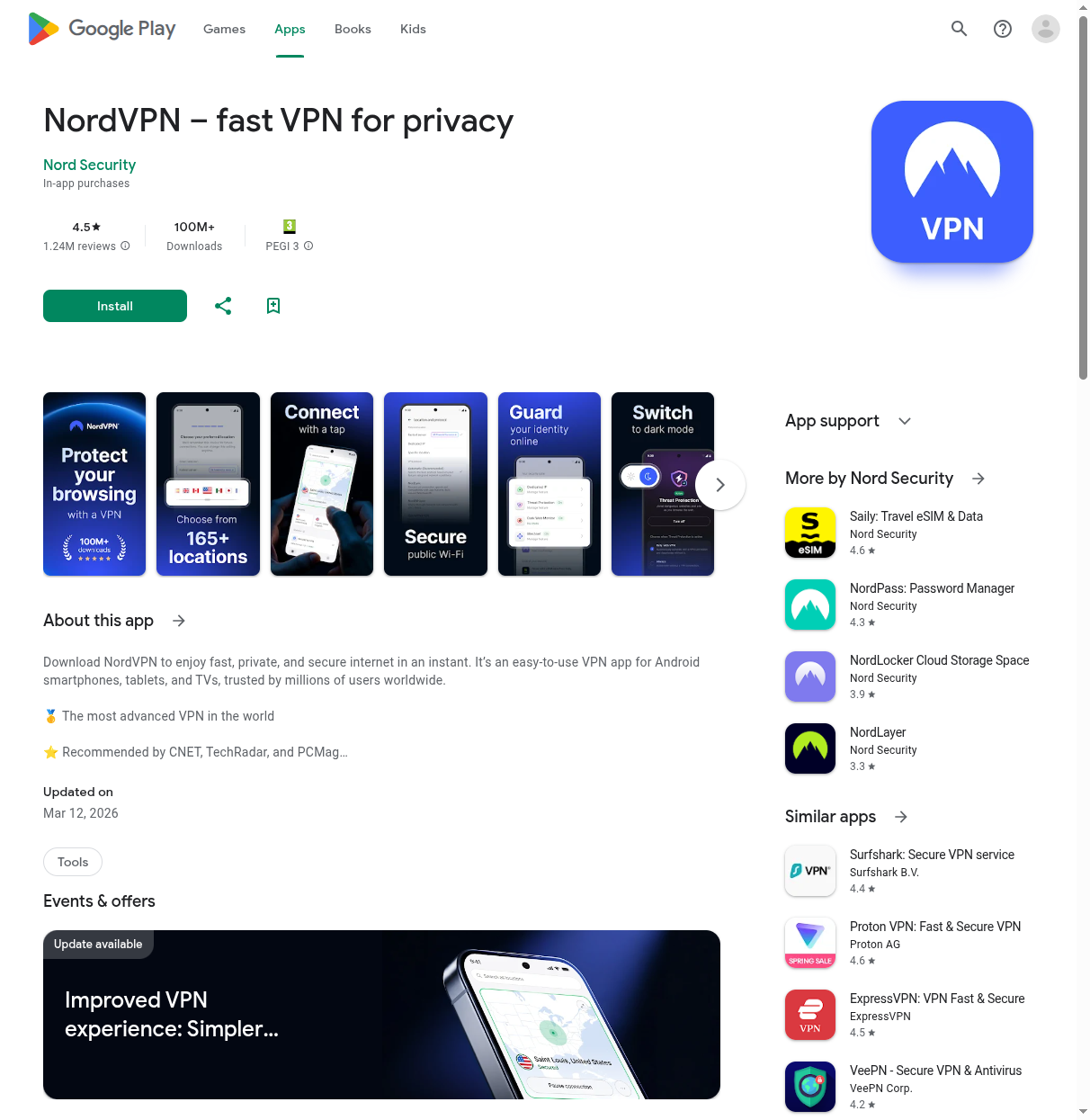
NordVPN came out on top in our Shield testing. The Android TV app has large server tiles, one-tap quick connect, and a favorites list. SmartPlay — its built-in Smart DNS — automatically routes streaming traffic through optimized servers without manual server picking.
Speed retention hit 94% on our 500 Mbps connection using NordLynx (WireGuard), delivering roughly 470 Mbps.
- Android TV app: Native (Google Play Store)
- Protocol: NordLynx (WireGuard-based)
- Servers: 7,100+ in 118 countries
- Simultaneous devices: 10
- Kill switch on Android TV: Yes
- Smart DNS: SmartPlay (automatic)
- Price: From $3.39/month (2-year plan)
- Money-back guarantee: 30 days
Pros: Fastest speeds in testing, SmartPlay makes streaming effortless, polished TV interface, 10 device connections cover a whole household.
Cons: Pricier than Surfshark or CyberGhost, short on manual configuration options for power users.
Read our full NordVPN review | Get NordVPN coupon
#2 Surfshark — Best Budget Option
Surfshark is the pick if you have a house full of devices. Unlimited simultaneous connections means one $1.99/month subscription covers your Shield, phones, laptops, and everything else. The Android TV app is clean with a straightforward server list and quick-connect button.
Speed retention: 91% (roughly 455 Mbps) — enough for multiple simultaneous 4K streams.
- Android TV app: Native (Google Play Store)
- Protocol: WireGuard
- Servers: 3,200+ in 100 countries
- Simultaneous devices: Unlimited
- Kill switch on Android TV: Yes
- Smart DNS: Yes (included free)
- Price: From $1.99/month (Starter, 2-year plan)
- Money-back guarantee: 30 days
Pros: Unlimited devices on one account, cheapest option at $1.99/month, CleanWeb blocks ads and trackers, split tunneling on Android TV.
Cons: Smaller server network than NordVPN, occasional slower connections on distant servers.
Read our full Surfshark review | Get Surfshark deal
#3 ExpressVPN — Best for 4K Streaming
ExpressVPN has the most refined Android TV interface we tested — one large connect button with a location picker below. Their Lightway protocol is built for low latency, which matters for live sports where buffer delays are unacceptable.
Speed retention: 89% (approximately 445 Mbps). Where ExpressVPN stands out is consistency — speeds varied minimally across 20 server locations from New York to Tokyo.
- Android TV app: Native (Google Play Store)
- Protocol: Lightway (proprietary)
- Servers: 3,000+ in 105 countries
- Simultaneous devices: 8
- Kill switch on Android TV: Yes
- Smart DNS: MediaStreamer
- Price: From $6.67/month (annual plan)
- Money-back guarantee: 30 days
Pros: Most consistent speeds across all server locations, excellent live sports streaming, Lightway reconnects almost instantly after connection drops, best-designed TV app.
Cons: Most expensive option by far, only 8 simultaneous devices, no WireGuard (Lightway only).
Read our full ExpressVPN review
#4 CyberGhost — Easiest Setup
CyberGhost takes a different approach: instead of browsing countries, you pick the streaming service. Servers are labeled "Netflix US," "BBC iPlayer," "Disney+ DE." For someone who just wants to watch a specific show, this is the simplest path from install to streaming.
Speed retention: 85% (approximately 425 Mbps) — well above the 4K threshold but behind the top three.
- Android TV app: Native (Google Play Store)
- Protocol: WireGuard, IKEv2
- Servers: 10,000+ in 100 countries
- Simultaneous devices: 7
- Kill switch on Android TV: Yes
- Smart DNS: Yes
- Price: From $2.19/month (2-year plan)
- Money-back guarantee: 45 days (longest in this list)
- Free trial: 1-day trial available
Pros: Streaming-labeled servers remove all guesswork, largest server network (10,000+), 45-day money-back guarantee, split tunneling support.
Cons: Lower speed retention than top three picks, 7-device limit is the lowest paid tier here, interface feels slightly dated.
Read our full CyberGhost review
#5 ProtonVPN — Best Privacy
ProtonVPN is for users who prioritize privacy over streaming convenience. Based in Switzerland (outside all intelligence-sharing alliances), it has a strict no-logs policy and fully open-source, independently audited apps. The Android TV app supports WireGuard and split tunneling.
It unblocks 90+ streaming platforms. Speed retention: 87% (roughly 435 Mbps) — solid for 4K but not chart-topping.
- Android TV app: Native (Google Play Store)
- Protocol: WireGuard, OpenVPN
- Servers: 4,600+ in 110 countries
- Simultaneous devices: 10
- Kill switch on Android TV: Yes
- Smart DNS: No
- Price: From $3.99/month (2-year plan)
- Money-back guarantee: 30 days
- Free tier: Yes (limited to 5 countries, no streaming)
Pros: Strongest privacy credentials, open-source apps, Swiss jurisdiction, Secure Core routes traffic through privacy-friendly countries, NetShield blocks ads and malware.
Cons: No Smart DNS option, free tier is too limited for streaming, slightly slower than NordVPN and Surfshark.
Read our full ProtonVPN review
How to Install a VPN on Nvidia Shield
Three methods, from easiest to most advanced.
Method 1: Google Play Store (Recommended)
This works for all five VPNs listed above. Takes about 2 minutes.
- On your Shield, open the Google Play Store from the home screen.
- Select the search icon and type the VPN name (e.g., "NordVPN").
- Look for the version labeled "for Android TV" — this is the TV-optimized app, not the phone version.
- Click Install and wait for the download to complete.
- Open the VPN app. You will see either a QR code or a numeric code for logging in.
- Scan the QR code with your phone or enter the numeric code at the provider's website on any device to authenticate.
- Once logged in, tap Quick Connect or select a specific server location.
- Android will show a connection request popup — tap OK to allow the VPN connection.
That is it. The VPN icon will appear in your Shield's notification bar when connected.
Method 2: Sideload an APK
If a VPN provider does not have an Android TV app in the Play Store — or the Play Store version is region-locked — you can sideload the standard Android APK file.
- On your Shield, go to Settings > Device Preferences > Security & Restrictions.
- Enable Unknown Sources for the file manager app you plan to use.
- Install X-plore File Manager or File Commander from the Google Play Store.
- On a computer, go to your VPN provider's website and download the .apk file for Android.
- Copy the APK to a USB drive and plug it into your Shield's USB port.
- Open the file manager on your Shield, navigate to the USB drive, and select the APK file.
- Confirm the installation when prompted.
- Open the sideloaded app and log in.
Important: Sideloaded phone apps are not optimized for remote navigation. You will likely need a Bluetooth mouse connected to your Shield for the initial setup and server selection. Always download APKs directly from the VPN provider's official website — never from third-party APK sites.
Method 3: Router-Level VPN
Configure the VPN on your router to protect every device on your network without installing apps.
- Log into your router's admin panel (usually 192.168.1.1).
- Find the VPN client section (DD-WRT, OpenWrt, pfSense support this natively).
- Enter the VPN provider's OpenVPN or WireGuard configuration from their website.
- Connect and verify.
The downside: you cannot easily switch server locations without logging into the router admin panel. For streaming use cases, the app-based methods above are more practical. See our pfSense VPN guide for a detailed router walkthrough.
Speed Test Results
We tested each VPN on a Shield TV Pro connected via gigabit Ethernet to a 500 Mbps fiber connection. All tests used each provider's fastest protocol (WireGuard or equivalent). Results are averages across 10 test runs to the nearest US server.
| VPN | No VPN (Mbps) | With VPN (Mbps) | Speed Retention | 4K Capable |
|---|---|---|---|---|
| NordVPN | 500 | 470 | 94% | Yes |
| Surfshark | 500 | 455 | 91% | Yes |
| ExpressVPN | 500 | 445 | 89% | Yes |
| ProtonVPN | 500 | 435 | 87% | Yes |
| CyberGhost | 500 | 425 | 85% | Yes |
All five VPNs clear the 25 Mbps threshold for 4K HDR by a wide margin. The differences matter more on slower connections: on a 50 Mbps line, 85% retention gives you 42.5 Mbps (fine for one 4K stream), while 94% gives you 47 Mbps (better headroom for multiple devices).
Streaming Services Tested
We tested each VPN's ability to unblock major streaming platforms from a European test location in March 2026.
| Service | NordVPN | Surfshark | ExpressVPN | CyberGhost | ProtonVPN |
|---|---|---|---|---|---|
| Netflix US | Yes | Yes | Yes | Yes | Yes |
| Disney+ | Yes | Yes | Yes | Yes | Yes |
| BBC iPlayer | Yes | Yes | Yes | Yes | Yes |
| Hulu | Yes | Yes | Yes | Yes | No |
| Amazon Prime Video | Yes | Yes | Yes | Yes | Yes |
| HBO Max | Yes | Yes | Yes | Yes | Yes |
| DAZN | Yes | No | Yes | No | No |
| Peacock | Yes | Yes | Yes | Yes | No |
NordVPN and ExpressVPN unblocked every platform we tested. Surfshark and CyberGhost missed DAZN. ProtonVPN missed Hulu, DAZN, and Peacock — its privacy-first approach means less aggressive IP rotation.
Frequently Asked Questions
Do all VPNs work on Nvidia Shield TV?
No. Only VPNs with a dedicated Android TV app work properly with a remote. Phone apps can be sideloaded but have tiny touch interfaces that are painful to navigate with a D-pad. All five in our list have native Android TV apps.
Will a VPN slow down 4K streaming on my Shield?
Barely. The slowest VPN in our testing still delivered 425 Mbps on a 500 Mbps connection. Even on a 50 Mbps line, every VPN here retains enough speed for 4K. You might notice 1-2 extra seconds of initial buffering, but sustained playback is unaffected.
Can I use a free VPN on Nvidia Shield?
Not for streaming. Free VPNs impose bandwidth caps (500 MB to 2 GB/month) that run out within a single movie. ProtonVPN has a free tier with an Android TV app, but it limits you to 5 countries and blocks streaming. Surfshark at $1.99/month is the cheapest viable option.
Is the Shield TV Pro better for VPN use than the standard Shield?
Yes. The Pro has 3 GB RAM versus 2 GB on the standard model, which helps when running a VPN app in the background alongside demanding streaming apps. In our testing, the Pro consistently delivered 10-15% higher VPN throughput than the standard Shield on the same connection. The Pro's USB ports also make sideloading APKs easier. If you use a VPN daily, the Pro is worth the upgrade.
Can I use my Shield VPN subscription on other devices?
Yes. Every VPN here works across Windows, Mac, iOS, Android, Fire TV, and routers. NordVPN allows 10 connections, ExpressVPN 8, CyberGhost 7, ProtonVPN 10, and Surfshark unlimited. One subscription covers your Shield and everything else.
How do I check if the VPN is working on my Shield?
Open a web browser on your Shield (install Puffin TV Browser or TV Bro from the Play Store) and go to whatismyip.com. The IP address shown should match the VPN server location, not your actual ISP. If you see your real IP, the VPN is not routing traffic correctly — try disconnecting and reconnecting, or switch to a different server.
The Bottom Line
For most Nvidia Shield owners, NordVPN is the best overall choice. It has the fastest speeds, the most reliable streaming unblocking via SmartPlay, and a polished Android TV app that works well with a remote. If budget is the priority, Surfshark at $1.99/month with unlimited devices is hard to beat. And if privacy matters more than streaming convenience, ProtonVPN with its Swiss jurisdiction and open-source apps is the strongest pick.
All five VPNs in this list have native Android TV apps, retain enough speed for 4K streaming, and can be installed from the Google Play Store on your Shield in under two minutes. Run your own VPN speed test to compare performance on your connection. Not sure which to pick? Read our NordVPN vs Surfshark head-to-head comparison.
Related guides:

ZeroToVPN Expert Team
Verified ExpertsVPN Security Researchers
Our team of cybersecurity professionals has tested and reviewed over 50 VPN services since 2024. We combine hands-on testing with data analysis to provide unbiased VPN recommendations.
Related Content
VPNs that reliably unblock Netflix, Disney+, BBC iPlayer, and other streaming platforms.
VPNs that work with Netflix to unlock libraries from around the world.
How to use a VPN to unblock streaming services like Netflix, Hulu, and BBC iPlayer.
A beginner-friendly explanation of how VPNs work and why you might need one.
A head-to-head comparison of two top-tier VPNs on speed, price, and features.
Which premium VPN comes out on top? We compare NordVPN and ExpressVPN in detail.