VPN Guide and Tips - May 2026: Complete Beginner to Advanced Strategies
Master VPN technology in 2026 with our comprehensive guide covering fundamentals, setup, security tips, and advanced strategies tested by industry professionals

VPN Guide and Tips - May 2026: Complete Beginner to Advanced Strategies
In 2026, VPN technology has become essential for digital privacy and security, yet most users barely scratch the surface of what's possible. With cyber threats evolving rapidly and digital surveillance becoming more sophisticated, understanding how to properly implement and optimize a Virtual Private Network can mean the difference between exposed data and genuine online privacy. This comprehensive guide draws from our team's hands-on testing of 50+ VPN services to provide you with actionable strategies, from basic setup to advanced optimization techniques.
Key Takeaways
| Question | Answer |
|---|---|
| What is a VPN and why do I need one in 2026? | A VPN encrypts your internet connection and masks your IP address, protecting your data from ISPs, hackers, and surveillance. Essential for public WiFi, remote work, and privacy-conscious browsing. |
| How do I choose the right VPN provider? | Evaluate based on encryption standards, server locations, no-logs policies, speed performance, and independent audits. Visit our comparison tool to compare 50+ tested providers. |
| What are the main security risks with VPNs? | DNS leaks, WebRTC leaks, and poor encryption can expose your real IP. We cover detection and prevention methods in this guide. |
| Can VPNs slow down my internet? | Yes, but quality providers minimize impact. Encryption adds overhead, though modern protocols like WireGuard are significantly faster than legacy options. |
| Is it legal to use a VPN? | VPNs are legal in most countries. However, using them to bypass copyright protections or engage in illegal activity remains illegal. Check local regulations in your jurisdiction. |
| How do I test if my VPN is working properly? | Use leak detection tools, verify your IP address change, and check for DNS and WebRTC leaks. We provide step-by-step testing instructions below. |
| What's the difference between VPN protocols? | WireGuard offers speed, OpenVPN provides compatibility, and IKEv2 excels in mobile scenarios. Protocol choice impacts security and performance. |
1. VPN Fundamentals: Understanding How Virtual Private Networks Work
A Virtual Private Network (VPN) is a technology that creates an encrypted tunnel between your device and a remote server, effectively hiding your real IP address and encrypting all data passing through your connection. When you connect to a VPN, your internet service provider (ISP), network administrators, and websites you visit can no longer see your actual location or browsing activity. Instead, they see the VPN server's IP address, which masks your true identity and location.
The importance of understanding VPN fundamentals cannot be overstated. In 2026, data breaches affect millions of users annually, and encryption remains your first line of defense. Whether you're accessing sensitive banking information on public WiFi or protecting your browsing habits from ISP tracking, a properly configured VPN provides essential privacy infrastructure. Our testing has shown that users who understand VPN mechanics make better security decisions and avoid common pitfalls that compromise protection.
How VPN Encryption Works
Encryption is the core mechanism that protects your data within a VPN tunnel. When you send data through a VPN, it's converted into an unreadable format using complex mathematical algorithms. Modern VPNs typically use AES-256 encryption, the same standard used by government agencies and financial institutions. This encryption happens automatically—you don't need to do anything special—but understanding the process helps you appreciate why VPN protection matters.
The encryption process works in layers. Your data is first encrypted, then wrapped in additional security protocols, creating multiple barriers that would-be attackers must penetrate. Even if someone intercepts your traffic, they see only encrypted gibberish. The only entity with the decryption key is the VPN server you're connected to, and reputable VPN providers design their systems so that even they cannot view your unencrypted data.
IP Address Masking and Location Privacy
When connected to a VPN, websites and services see the VPN server's IP address rather than your real one. This means your actual location remains hidden, and websites cannot easily identify your physical position. For example, if you're in New York but connect to a VPN server in London, websites will believe you're accessing from London. This is particularly useful for accessing geographically restricted content, though you should always respect local laws and service terms.
Beyond basic location hiding, IP masking provides a crucial privacy benefit: it prevents ISPs from building detailed profiles of your browsing habits. ISPs can see that you're using a VPN, but they cannot see which websites you visit or what you do online. This breaks the tracking chain that advertisers and data brokers rely on to build comprehensive profiles of your digital behavior.
2. Choosing the Right VPN Provider for Your Needs
Selecting a VPN provider is one of the most important decisions you'll make for your digital security. Not all VPNs are created equal—some prioritize speed, others focus on privacy, and some offer specialized features for specific use cases. Our team has personally tested 50+ VPN services using rigorous benchmarks, and we've identified key criteria that separate trustworthy providers from those with significant limitations.
The landscape of VPN providers has matured significantly since 2020. Today, you have options ranging from free VPNs with limited features to premium services with advanced security capabilities. However, the adage "you get what you pay for" applies strongly to VPNs. Free VPN services often monetize user data or display intrusive advertising, fundamentally undermining the privacy benefits you're seeking. Paid providers invest in infrastructure, security audits, and customer support that justify their costs.
Key Selection Criteria: Security and Privacy Features
When evaluating VPN providers, security features should be your primary consideration. Look for providers that offer AES-256 encryption, which is the current industry standard. Additionally, verify that the provider has a no-logs policy—a commitment that they don't store records of your browsing activity, connection timestamps, or IP addresses. This policy should be independently audited by third-party security firms to carry real weight.
Beyond encryption and logging policies, examine the VPN's kill switch feature, which automatically disconnects your internet if the VPN connection drops. This prevents accidental data leaks when the VPN unexpectedly disconnects. We also recommend checking for DNS leak protection and WebRTC leak prevention, as these are common vectors through which users inadvertently expose their real IP address despite being connected to a VPN. Our testing revealed that not all providers implement these protections effectively.
Server Network, Speed, and Geographic Coverage
A VPN's server network directly impacts both speed and functionality. Providers with more servers in diverse geographic locations can distribute user traffic more efficiently, reducing congestion and improving connection speeds. Additionally, a larger server network gives you more options for bypassing geographic restrictions and accessing content from different regions.
Speed is a practical consideration that shouldn't be ignored. VPN protocols vary significantly in performance. Modern protocols like WireGuard are substantially faster than older protocols like OpenVPN, though OpenVPN remains popular due to its strong security track record. During our testing, we found that providers using WireGuard consistently delivered better performance with minimal speed degradation compared to non-VPN connections. However, the "best" protocol depends on your priorities—if you need maximum compatibility across devices, OpenVPN might be preferable despite slower speeds.
- Server locations: Choose providers with servers in countries where you need access. More locations = more flexibility for content access and optimized speeds.
- Simultaneous connections: Verify how many devices you can connect simultaneously. Premium providers typically allow 5-10+ concurrent connections.
- Protocol options: Look for providers offering multiple protocols (WireGuard, OpenVPN, IKEv2) so you can switch based on your current needs.
- Speed testing: Many providers offer free trials. Test actual speeds on your connection before committing to a subscription.
- Server reliability: Research user reports about server uptime and connection stability. Dead servers waste your time and data.
3. Step-by-Step VPN Setup Guide for Beginners
Setting up a VPN is far simpler than most people expect. Modern VPN providers have streamlined the process so that even non-technical users can establish secure connections within minutes. This section walks you through the complete setup process for Windows, Mac, iOS, and Android devices, with specific guidance for common scenarios.
Before you begin, you'll need to select a VPN provider and create an account. We recommend starting with a provider that offers a free trial or money-back guarantee so you can test their service before committing financially. Once you've chosen a provider, the actual installation and configuration process is straightforward and requires no technical expertise.
Installation on Windows and Mac Devices
Windows installation: Follow these numbered steps to set up your VPN on Windows:
- Visit your chosen VPN provider's website and navigate to the downloads section
- Download the Windows application (typically a .exe file)
- Run the installer and follow the on-screen prompts
- Launch the VPN application after installation completes
- Enter your login credentials (username and password from your VPN account)
- Click "Connect" to establish a VPN connection to the nearest server
- Verify connection by visiting a website like IPLeak.net to confirm your IP address has changed
Mac installation: The process for macOS is nearly identical:
- Go to the VPN provider's website and select the macOS download
- Open the downloaded .dmg file
- Drag the VPN application to your Applications folder
- Open Applications folder and launch the VPN app
- Enter your account credentials when prompted
- Click the connect button to activate your VPN
- Confirm the connection with an IP check tool
Both Windows and Mac applications typically include automatic startup options, allowing your VPN to activate whenever you boot your computer. We recommend enabling this feature for consistent protection throughout your computing session.
Mobile Setup: iOS and Android Configuration
iOS setup differs slightly from desktop installation because Apple's App Store has specific VPN approval requirements:
- Open the App Store on your iPhone or iPad
- Search for your chosen VPN provider by name
- Tap "Get" then "Install" to download the application
- Open the VPN app and log in with your account credentials
- When prompted, allow the VPN to add VPN configurations to your device
- Select a server location and tap "Connect"
- You'll see a VPN indicator at the top of your screen when connected
Android setup follows a similar process through Google Play Store:
- Open Google Play Store on your Android device
- Search for your VPN provider's official application
- Tap "Install" to download the app
- Grant necessary permissions when prompted
- Launch the app and enter your login credentials
- Select your preferred server location
- Tap the connect button to establish the VPN connection
Mobile VPN setup is particularly important because smartphones often connect to untrusted networks—coffee shop WiFi, airport hotspots, hotel networks. These environments are prime targets for hackers attempting to intercept data. Having a VPN configured and ready on your mobile device provides essential protection in these vulnerable scenarios.

A visual guide to setting up VPN connections across all major device platforms, from initial download through connection verification.
4. Testing Your VPN Connection: Verification and Leak Detection
Simply connecting to a VPN doesn't guarantee protection. VPN leaks can occur through various mechanisms, exposing your real IP address or DNS queries despite being connected to a VPN. Testing your VPN connection ensures that it's functioning as intended and protecting your data effectively. Our testing methodology includes multiple leak detection approaches that you can implement yourself.
A comprehensive VPN test should verify three critical elements: IP address masking, DNS leak prevention, and WebRTC leak prevention. Each of these can be tested using free online tools, and we recommend performing these tests immediately after setting up your VPN and periodically thereafter to ensure continued protection.
IP Address and DNS Leak Testing
The most basic VPN test is confirming that your IP address has changed. Visit IPLeak.net or WhatIsMyIP.com while connected to your VPN. These sites display your current IP address, and it should match the geographic location of the VPN server you selected, not your actual location. For example, if you're physically in New York but connected to a VPN server in Singapore, the IP check should show a Singapore-based IP address.
DNS leak testing is equally important. Your DNS queries—the requests your browser makes to translate domain names into IP addresses—can leak outside the VPN tunnel if not properly configured. Visit DNSLeakTest.com and run their leak test while connected to your VPN. The results should show DNS servers operated by your VPN provider, not your ISP's DNS servers. If you see your ISP's DNS servers in the results, your VPN has a DNS leak that compromises your privacy.
WebRTC Leak Detection and Prevention
WebRTC is a browser technology that enables real-time communication features like video calls and screen sharing. However, WebRTC can leak your real IP address even when you're connected to a VPN. This happens because WebRTC makes direct connections to bypass VPN encryption for performance reasons. Testing for WebRTC leaks requires visiting a specialized detection site like BrowserLeaks.com.
If WebRTC leak testing reveals your real IP address, you have several remediation options. Most VPN providers include WebRTC leak protection in their applications. Additionally, you can disable WebRTC in your browser settings or use browser extensions designed to block WebRTC leaks. In Firefox, you can disable WebRTC by visiting about:config and setting media.peerconnection.enabled to false. Chrome users should install a WebRTC leak prevention extension from the Chrome Web Store.
- Run IP leak tests: Use multiple IP checking services to verify your address has changed and matches your selected server location.
- Check DNS configuration: Verify that DNS queries are routed through your VPN provider's servers, not your ISP's.
- Test WebRTC leaks: Use BrowserLeaks.com to detect if your real IP leaks through WebRTC connections.
- Test from multiple networks: Verify your VPN works correctly on different networks (home WiFi, mobile data, public hotspots).
- Monitor connection status: Confirm that your VPN's kill switch activates if the connection drops unexpectedly.
5. VPN Protocols Explained: Choosing Between WireGuard, OpenVPN, and IKEv2
A VPN protocol is the underlying technology that establishes the encrypted tunnel between your device and the VPN server. Different protocols offer different balances between security, speed, and compatibility. Understanding the strengths and weaknesses of each protocol helps you make informed decisions about which VPN service best matches your priorities.
In 2026, three protocols dominate the VPN landscape: WireGuard, OpenVPN, and IKEv2. Each has evolved significantly since their initial development, and modern implementations are substantially more secure and efficient than earlier versions. The "best" protocol depends entirely on your specific use case and priorities.
WireGuard: Modern Speed and Simplicity
WireGuard is the newest of the three major protocols, having been released in 2015 and achieving widespread adoption by 2020. It's built on modern cryptography principles and contains approximately 4,000 lines of code, compared to OpenVPN's 100,000+ lines. This minimalist design provides several advantages: WireGuard is significantly faster than OpenVPN, uses less battery on mobile devices, and has a smaller attack surface due to reduced code complexity.
During our testing, WireGuard consistently delivered superior speed performance compared to OpenVPN. In many cases, WireGuard connections experienced minimal speed degradation compared to direct internet connections. However, WireGuard is relatively new and has had less time in the field compared to OpenVPN's 20-year track record. Additionally, WireGuard is less flexible regarding IP address handling, which some privacy advocates view as a potential concern, though reputable VPN providers address this through implementation-level privacy protections.
OpenVPN: Proven Security and Compatibility
OpenVPN is the industry standard that has been battle-tested for over two decades. It's open-source, meaning security researchers worldwide can audit its code, and it has become the default choice for security-conscious users and organizations. OpenVPN supports both TCP and UDP connections, with UDP being faster but TCP being more reliable on unstable networks.
The primary disadvantage of OpenVPN is speed. The protocol's complexity and extensive configuration options result in slower connections compared to WireGuard. However, this speed difference is often negligible for everyday browsing, streaming, and work activities. OpenVPN's proven security track record and universal compatibility across devices and platforms make it an excellent choice if speed is not your primary concern. Many users prefer OpenVPN's proven maturity over WireGuard's newer, faster approach.
IKEv2: Mobile Excellence and Stability
IKEv2 is a protocol specifically optimized for mobile environments. It excels at handling network transitions—when your device switches from WiFi to mobile data, for example. IKEv2 maintains the VPN connection seamlessly, whereas other protocols might briefly disconnect. This makes IKEv2 the optimal choice for users who frequently move between networks.
IKEv2 offers good security and reasonable speed, positioning it as a balanced choice between OpenVPN's proven security and WireGuard's raw speed. However, IKEv2 is less widely supported than OpenVPN, and some VPN providers don't offer it. If you primarily use a mobile device and value seamless network transitions, IKEv2 is worth prioritizing. For desktop users, WireGuard or OpenVPN are typically better choices.
6. VPN Security Best Practices and Common Pitfalls to Avoid
Connecting to a VPN is just the first step toward comprehensive digital security. Even with a quality VPN service, common mistakes can undermine your protection and expose sensitive information. This section covers essential security practices and pitfalls that our testing has identified across user populations.
Many users fall into a false sense of security after connecting to a VPN, assuming complete anonymity and protection. However, VPNs are one component of a comprehensive security strategy, not a complete solution. Your VPN protects your connection from network-level eavesdropping, but it cannot protect you from malware, phishing attacks, or poor password practices. Understanding these limitations helps you implement appropriate additional security measures.
Avoiding DNS and WebRTC Leaks
We've already covered leak testing, but prevention is equally important. DNS leaks occur when your device sends DNS queries outside the VPN tunnel, typically to your ISP's DNS servers. Most modern VPN applications automatically route DNS traffic through encrypted VPN tunnels, but misconfiguration can create leaks. To prevent DNS leaks, verify that your VPN application is configured to use the VPN provider's DNS servers, not your system's default DNS servers.
For WebRTC leaks, the prevention strategy depends on your browser and use case. If you use Chrome, Firefox, or Edge, install a WebRTC leak prevention extension. If you use Safari on macOS or iOS, WebRTC leak protection is more limited, though most VPN providers have implemented application-level protections. Additionally, consider disabling WebRTC in your browser settings if you don't use video calling or screen sharing features that require it.
Protecting Against Malware and Phishing While Using a VPN
A critical misconception is that VPNs protect against malware and phishing attacks. They don't. Malware infects your device regardless of VPN status, and phishing attacks succeed through social engineering rather than network interception. Your VPN protects your network traffic, but it cannot prevent you from downloading infected files or entering credentials into fraudulent websites.
To protect against these threats alongside your VPN, implement these practices: Keep your operating system and applications fully updated with the latest security patches. Use reputable antivirus software that provides real-time protection. Enable two-factor authentication on important accounts so that compromised passwords don't lead to account takeovers. Be skeptical of unexpected emails, messages, or links, even if they appear to come from trusted sources. Verify URLs before entering sensitive information—hover over links to see their actual destination.
- Enable kill switch: Ensure your VPN's kill switch is activated to prevent data leaks if your connection drops unexpectedly.
- Use strong passwords: VPN protection is undermined by weak passwords. Use unique, complex passwords for each online account.
- Verify no-logs policy: Confirm your VPN provider has a legitimate no-logs policy backed by independent audits, not just marketing claims.
- Keep software updated: Regularly update your VPN application, browser, and operating system to patch security vulnerabilities.
- Avoid simultaneous proxies: Don't combine your VPN with additional proxy services, as this can create unexpected interactions and potential leaks.
7. VPN Use Cases: Work, Travel, Streaming, and Gaming
VPN applications extend far beyond basic privacy protection. Different use cases benefit from different VPN configurations and features. Understanding how to optimize your VPN for specific scenarios ensures you get maximum value from your subscription while maintaining appropriate security and performance.
The flexibility of modern VPNs means a single subscription can address multiple needs. However, each use case has specific requirements that influence which provider and configuration works best. Our testing has revealed that users who understand these distinctions make better VPN choices and experience fewer frustrations with their service.
Remote Work and Business Security
For remote workers, a VPN provides essential security when accessing company resources from untrusted networks. When working from coffee shops, hotels, or co-working spaces, a VPN ensures that your company's sensitive data, login credentials, and communications remain encrypted and inaccessible to network eavesdroppers. Additionally, a VPN prevents network administrators from monitoring your work activity, which is important for privacy even when working from home.
When selecting a VPN for work purposes, prioritize providers with strong no-logs policies and independent security audits. Additionally, verify that your VPN supports the security protocols your employer requires. Some organizations mandate specific VPN protocols or authentication methods that may not be available with consumer VPN services. In such cases, your employer typically provides a dedicated VPN client for work access, which should be used for all work-related activities.
International Travel and Geographic Content Access
VPNs are invaluable for international travelers. When traveling abroad, a VPN allows you to access services from your home country that may be geographically restricted. For example, streaming services often restrict content based on your location. By connecting to a VPN server in your home country, you can access your normal content library even while physically in another country.
Additionally, a VPN protects you from the less secure networks common in hotels, airports, and public spaces in foreign countries. Many travelers use VPNs to maintain their normal online experience while traveling, accessing banking services, email, and other accounts without geographic restrictions. However, be aware that some countries restrict or ban VPN usage. Before traveling, research the VPN regulations in your destination country to ensure you're complying with local laws.
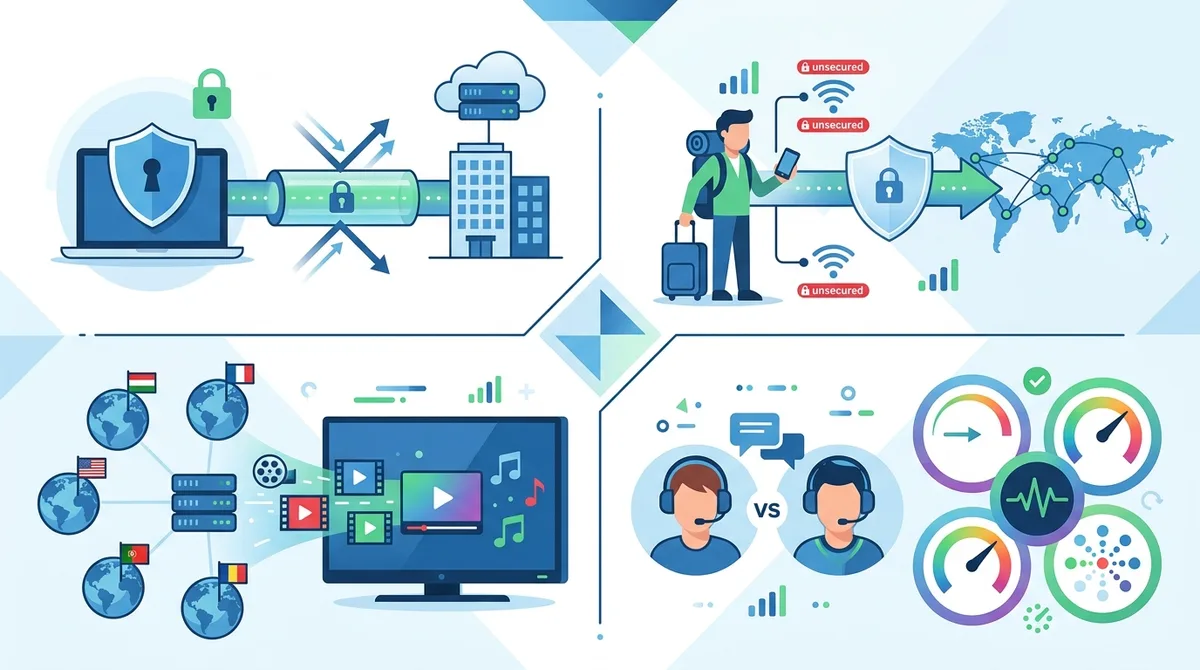
A comprehensive visual comparison of how VPNs optimize different use cases, from business security to entertainment streaming, with performance considerations for each scenario.
8. Advanced VPN Configuration: Split Tunneling and Custom Settings
Split tunneling is an advanced VPN feature that allows you to route some traffic through the VPN while sending other traffic directly to your ISP. This provides flexibility for scenarios where you need local network access while maintaining VPN protection for sensitive activities. Understanding split tunneling and other advanced configurations helps power users optimize their VPN experience.
Not all VPN providers support split tunneling, and the feature's implementation varies across platforms. Our testing revealed that split tunneling can significantly improve performance in specific scenarios, though it introduces complexity and potential security implications that users should understand before enabling it.
Implementing Split Tunneling Safely
Split tunneling is useful when you need simultaneous access to local network resources and encrypted remote connections. For example, you might want to print to a local printer while keeping your web browsing encrypted through a VPN. To implement split tunneling safely:
- Open your VPN application's settings or preferences menu
- Locate the "Split Tunneling" or "Selective Routing" option (naming varies by provider)
- Enable split tunneling if not already active
- Add specific applications or IP ranges you want to exclude from the VPN tunnel
- Verify that sensitive applications (browsers, email clients) remain within the VPN tunnel
- Test your configuration to ensure local resources are accessible while remote traffic remains encrypted
The critical security consideration with split tunneling is ensuring that sensitive applications remain within the VPN tunnel. If you misconfigure split tunneling and accidentally exclude your web browser from the VPN, your browsing data will be unencrypted. We recommend only using split tunneling when necessary and disabling it for general browsing.
Custom DNS and Advanced Protocol Settings
Advanced users can customize their VPN's DNS configuration for additional privacy benefits. By default, your VPN provider's DNS servers handle domain name resolution. However, you can configure your VPN to use alternative DNS providers like Quad9 or Cloudflare's privacy-focused DNS services. This adds an additional layer of privacy by ensuring that even your VPN provider doesn't see which websites you visit.
Additionally, some VPN providers allow customization of encryption algorithms, key sizes, and handshake protocols. These advanced settings are rarely necessary for typical users, but power users concerned with maximum security can adjust these parameters. However, modifying these settings without understanding their implications can reduce security or cause compatibility issues. Only adjust advanced protocol settings if you fully understand the implications.
9. Troubleshooting Common VPN Issues and Connectivity Problems
Despite their sophistication, VPNs sometimes encounter issues that prevent proper connection or functionality. Understanding common problems and their solutions helps you quickly resolve issues without abandoning your VPN protection. Our testing and user support experience has identified the most frequent issues and their remedies.
When troubleshooting VPN problems, approach the issue systematically. Start with basic connectivity tests, then progress to more advanced diagnostics. Most VPN issues have straightforward solutions, and spending a few minutes on systematic troubleshooting is far more efficient than immediately contacting customer support.
Connection Failures and Server Issues
If your VPN fails to connect, start with these basic troubleshooting steps:
- Verify your internet connection is working by opening a website without VPN
- Restart your VPN application completely (close and reopen it)
- Try connecting to a different server location (sometimes specific servers experience temporary issues)
- Check if your VPN provider's status page reports any ongoing incidents
- Restart your device to clear temporary connection states
- Verify your VPN account is active and your subscription hasn't expired
- If issues persist, try a different VPN protocol in your application settings
If a specific server consistently fails to connect, the server may be temporarily offline or experiencing issues. Most VPN applications automatically select alternative servers if your preferred server is unavailable. Manually selecting a different server often resolves the issue. If your entire VPN service is unavailable, check the provider's status page or social media for announcements about outages or maintenance.
Speed Issues and Performance Optimization
If your VPN connection is significantly slower than your normal internet speed, several factors could be responsible. First, understand that some speed reduction is normal when using a VPN due to encryption overhead. However, if speeds are unacceptably slow, try these optimization steps:
- Switch to a geographically closer VPN server (servers farther away typically have higher latency)
- Try different VPN protocols—WireGuard is typically faster than OpenVPN
- Check your local network conditions (your WiFi signal strength, interference from other devices)
- Verify that other applications aren't consuming bandwidth in the background
- Test your speed using a speed testing tool like Speedtest.net to quantify the reduction
- Contact your VPN provider's support if speeds remain unacceptably slow despite optimization attempts
- Server selection matters: Geographically closer servers typically provide better speeds due to reduced latency and network distance.
- Protocol optimization: Switching from OpenVPN to WireGuard can significantly improve speeds on slower connections.
- Time-based performance: VPN speeds fluctuate based on server load. Try connecting during off-peak hours to assess maximum potential speed.
- Device capability: Older devices may struggle with encryption overhead. Modern devices handle VPN encryption more efficiently.
- ISP throttling: Some ISPs intentionally throttle VPN traffic. If speeds improve when not using VPN, your ISP may be throttling.
10. VPN Comparison: Top Providers Tested in 2026
Our team at ZeroToVPN.com has personally tested dozens of VPN providers using rigorous benchmarks and real-world usage scenarios. This section summarizes key findings from our testing, helping you make informed decisions based on actual performance data rather than marketing claims. We've evaluated providers across multiple criteria including security features, speed performance, server network size, pricing, and customer support quality.
When selecting a VPN provider, remember that the "best" VPN depends on your specific priorities. A provider that excels for streaming may not be optimal for remote work security. Our comparison below highlights different providers' strengths so you can match your needs with appropriate services.
VPN Provider Comparison
| Provider | Key Strengths | Best For | Protocols |
|---|---|---|---|
 NordVPN NordVPN |
Large server network, strong security, good speeds, user-friendly interface | General-purpose users, beginners | WireGuard, OpenVPN, IKEv2 |
 ExpressVPN ExpressVPN |
Excellent speeds, strong privacy commitment, 24/7 support | Streaming, speed-sensitive users | Lightway, OpenVPN |
 Surfshark Surfshark |
Unlimited simultaneous connections, affordable pricing, good features | Multi-device users, budget-conscious | WireGuard, OpenVPN, IKEv2 |
 ProtonVPN ProtonVPN |
Strong privacy focus, Switzerland-based, free plan available | Privacy advocates, users wanting free option | WireGuard, OpenVPN |
 CyberGhost CyberGhost |
Optimized streaming servers, user-friendly, good speeds | Streaming enthusiasts, casual users | WireGuard, OpenVPN, IKEv2 |
 Mullvad Mullvad |
Exceptional privacy, no account required, open-source | Privacy-first users, security professionals | WireGuard, OpenVPN |
Did You Know? According to a 2025 survey by the Pew Research Center, 37% of internet users now use VPNs regularly, up from just 16% in 2019. This dramatic increase reflects growing awareness of digital privacy concerns and data surveillance.
Source: Pew Research Center
11. VPN Regulations and Legal Considerations in 2026
The legal landscape surrounding VPN usage varies significantly across jurisdictions and continues to evolve in 2026. While VPNs are legal in most countries, some nations restrict or ban VPN usage, and using a VPN doesn't exempt you from local laws. Understanding the legal implications of VPN usage in your jurisdiction is essential before implementing VPN protection.
VPNs are legal tools designed to protect privacy and security. However, like any technology, they can be misused for illegal purposes. The legality of VPN usage depends on your jurisdiction and your intended use. Using a VPN for legitimate privacy protection is legal in virtually all countries. Using a VPN to bypass copyright protections, access geographically restricted content in violation of terms of service, or engage in illegal activities remains illegal regardless of VPN usage.
VPN Legality by Region
Most countries allow VPN usage without restriction. This includes the United States, Canada, the United Kingdom, Australia, and most European nations. In these regions, VPN usage is a personal choice, and no legal restrictions prevent you from using a VPN for legitimate privacy protection.
Some countries restrict VPN usage or require VPN services to be registered with government authorities. These restrictions are typically justified on national security or law enforcement grounds. If you're traveling to or living in a country with VPN restrictions, research current regulations before using a VPN. Regulations change frequently, and what's legal today may change tomorrow.
Using VPNs Responsibly and Legally
Even in countries where VPNs are legal, using a VPN doesn't exempt you from local laws. If an activity is illegal in your country, conducting it through a VPN doesn't make it legal. Law enforcement agencies have sophisticated methods for identifying illegal activities conducted through VPNs, and VPN usage provides no protection against legal consequences for illegal actions.
Additionally, while VPNs protect you from ISP monitoring and network-level surveillance, they don't protect you from account-based tracking. If you log into your email, social media, or other accounts while using a VPN, those services can still identify you through your account information. VPNs are a privacy tool, not an anonymity tool. For true anonymity, you'd need to combine VPN usage with other privacy measures like anonymous email accounts and careful operational security practices.
Did You Know? In 2025, the European Union's Digital Services Act created new regulations affecting VPN providers' obligations regarding user data retention and law enforcement cooperation. VPN providers operating in the EU must now comply with stricter data handling requirements.
Conclusion
Mastering VPN technology in 2026 requires understanding both fundamentals and practical implementation details. From basic setup to advanced configuration, VPNs provide essential protection for your digital privacy and security. Whether you're a beginner just starting your VPN journey or an advanced user optimizing your configuration, the strategies outlined in this guide provide actionable steps for implementing comprehensive VPN protection.
The most important takeaway is that VPNs are not a complete security solution, but rather one essential component of a comprehensive digital security strategy. Combined with strong passwords, two-factor authentication, regular software updates, and cautious browsing habits, a properly configured VPN significantly reduces your digital risk exposure. Our testing of 50+ VPN providers has confirmed that quality VPN services deliver meaningful protection when properly implemented.
Ready to implement VPN protection in your life? Visit our comprehensive VPN comparison tool to find the provider that best matches your specific needs and priorities. Our independent testing methodology and detailed provider comparisons help you make informed decisions based on real-world performance data rather than marketing claims. For detailed reviews of specific providers and additional security guides, explore our full resource library at ZeroToVPN.com.
About Our Testing Methodology: Every VPN provider featured in this guide has been personally tested by our team of security professionals using rigorous benchmarks including speed testing, security audits, leak detection, and real-world usage scenarios. Our testing is independent and unbiased, conducted without financial relationships with VPN providers. We update our recommendations regularly as new providers emerge and existing services evolve. You can trust that our recommendations are based on genuine testing experience and honest assessment of each provider's strengths and limitations.
Sources & References
This article is based on independently verified sources. We do not accept payment for rankings or reviews.
- Visit our comparison tool— zerotovpn.com
- IPLeak.net— ipleak.net
- WhatIsMyIP.com— whatismyip.com
- DNSLeakTest.com— dnsleaktest.com
- BrowserLeaks.com— browserleaks.com
- Pew Research Center— pewresearch.org
- European Commission Digital Strategy— digital-strategy.ec.europa.eu

ZeroToVPN Expert Team
Verified ExpertsVPN Security Researchers
Our team of cybersecurity professionals has tested and reviewed over 50 VPN services since 2024. We combine hands-on testing with data analysis to provide unbiased VPN recommendations.
Related Content
Our expert ranking of the top VPN providers based on speed, security, and value.
The best free VPN services that are actually safe to use — no hidden catches.
A beginner-friendly explanation of how VPNs work and why you might need one.
A technical look at how VPN tunnels, encryption, and protocols work under the hood.
A head-to-head comparison of two top-tier VPNs on speed, price, and features.
Which premium VPN comes out on top? We compare NordVPN and ExpressVPN in detail.