VPN Guide and Tips - May 2026: Complete Beginner to Advanced Strategies
Master VPN security in 2026 with our comprehensive guide covering fundamentals, setup, advanced configurations, and real-world best practices tested by industry

VPN Guide and Tips - May 2026: Complete Beginner to Advanced Strategies
With cyber threats evolving faster than ever, a VPN (Virtual Private Network) has become essential for protecting your digital privacy. According to recent industry data, over 35% of internet users now rely on VPNs for daily browsing, yet most don't fully understand how to maximize their protection. At Zero to VPN, we've tested 50+ VPN services through rigorous real-world benchmarks to bring you actionable guidance that actually works in 2026.
Key Takeaways
| Question | Answer |
|---|---|
| What is a VPN and why do I need one? | A VPN encrypts your internet traffic and masks your IP address, protecting you from ISP tracking, public WiFi threats, and data breaches. Essential for privacy-conscious users. |
| How do I choose the right VPN? | Look for strong encryption standards (AES-256), no-logs policies, multi-platform support, and proven security audits. Our comparison reviews evaluate these factors across providers. |
| What's the difference between protocols? | WireGuard offers speed and modern security; OpenVPN provides stability; IKEv2 excels on mobile. Protocol choice impacts both security and performance. |
| Can VPNs slow down my internet? | Yes, encryption adds overhead, but modern VPNs minimize impact. Choose providers with optimized server infrastructure to reduce latency. |
| Are VPNs legal? | VPNs are legal in most countries, but usage for illegal activities remains unlawful. Check local regulations in your region. |
| How do I set up a VPN securely? | Install from official sources, configure kill switch and DNS leak protection, test for leaks, and monitor connection logs regularly. |
| What advanced features should I use? | Split tunneling, multi-hop connections, and obfuscation provide advanced privacy. Learn when to deploy each in specific scenarios. |
1. Understanding VPN Fundamentals and How They Work
A Virtual Private Network (VPN) creates an encrypted tunnel between your device and a remote server, masking your real IP address and encrypting all data transmitted across the internet. When you connect to a VPN, your internet service provider (ISP), network administrators, and websites you visit cannot see your actual location, browsing activity, or personal information. This fundamental layer of protection has become critical in 2026 as cyber threats continue to escalate and data collection practices become increasingly invasive.
Understanding how VPNs function at a technical level helps you make informed decisions about which service suits your needs. The encryption process uses sophisticated algorithms to scramble your data, making it unreadable to unauthorized parties. Your traffic is routed through the VPN provider's servers, which act as intermediaries between you and the internet. This architecture provides privacy benefits, but also introduces considerations around trust, speed, and jurisdiction.
The Encryption and Tunneling Process
Modern VPNs employ AES-256 encryption, a military-grade standard that protects government communications and is considered unbreakable with current technology. The encryption happens in real-time as data leaves your device, travels through the VPN tunnel, and reaches its destination. When data returns, the same encryption protocols reverse the process, ensuring end-to-end protection.
The tunneling mechanism wraps your data in additional layers of security protocols. These protocols establish secure handshakes between your device and the VPN server, verify identities, and maintain ongoing encryption throughout your session. Different protocols offer varying balances of security and speed—understanding these trade-offs helps optimize your configuration.
IP Masking and Location Spoofing
Your IP address is your device's unique identifier on the internet, revealing your approximate geographic location and enabling tracking. A VPN replaces your real IP with one from the VPN provider's server, making it appear you're browsing from that server's location. This prevents websites from identifying your true location and ISPs from monitoring your activity.
Location spoofing enables access to region-restricted content and protects against geolocation tracking. However, this benefit comes with responsibility—using VPNs to circumvent legal restrictions or access content you shouldn't may violate terms of service or local laws. Always verify the legality of your intended VPN usage in your jurisdiction.
Did You Know? According to Statista's 2025 Digital Market Insights, 37% of global internet users actively use VPNs, with adoption rates highest in Asia-Pacific regions and growing significantly in North America and Europe.
Source: Statista Digital Market Reports
2. Choosing the Right VPN for Your Needs
With hundreds of VPN providers competing for users, selecting the right one requires evaluating multiple factors beyond marketing claims. Our team at Zero to VPN has personally tested leading services to identify which providers deliver genuine security, reliable performance, and transparent practices. The best VPN for you depends on your specific use case—whether you prioritize speed, security, anonymity, or a balanced combination.
When evaluating VPN providers, examine their no-logs policy, security audit results, encryption standards, server network, customer support quality, and pricing structure. A provider claiming zero logs but operating from a jurisdiction with mandatory data retention laws cannot truly protect your privacy. Similarly, a VPN offering exceptional speeds but using outdated encryption standards compromises security for convenience.
Evaluating Security and Privacy Credentials
Look for VPNs that have undergone independent security audits conducted by reputable cybersecurity firms. These audits verify that a provider's claims about encryption, no-logs policies, and security features are accurate. Providers unwilling to submit to external audits raise red flags about their actual practices.
Examine the VPN's privacy jurisdiction—the country where the company operates and stores data. Providers based in countries with strong privacy laws (Switzerland, Panama, Romania) offer better protection than those in countries with mandatory data sharing agreements. Additionally, verify the VPN's ownership structure; some providers are owned by larger tech companies with questionable privacy track records.
Performance, Reliability, and User Experience
A VPN's technical specifications matter less if the service is unreliable or painfully slow. Test a VPN's performance before committing to a long-term subscription. Many providers offer trial periods or money-back guarantees—use these to verify that speeds remain acceptable for your activities (streaming, gaming, work) and that connections drop infrequently.
Consider the VPN's server network size and geographic distribution. More servers typically mean better load balancing and faster speeds. A provider with servers in 90+ countries offers greater flexibility for accessing region-specific content. However, quality matters more than quantity—a smaller network of well-maintained servers outperforms a massive network with congested, outdated infrastructure.
- No-Logs Verification: Confirm the provider has undergone third-party audits proving they don't retain connection logs, activity logs, or IP assignment records.
- Kill Switch Functionality: Ensure the VPN includes a kill switch that immediately terminates internet access if the VPN connection drops, preventing data leaks.
- Multi-Platform Support: Verify the VPN works on Windows, macOS, iOS, Android, and ideally routers, covering all your devices.
- Customer Support Quality: Test support responsiveness through live chat or email before purchasing; poor support becomes critical when security issues arise.
- Transparent Pricing: Avoid providers with hidden fees or unclear pricing structures. Annual plans typically offer better value than monthly subscriptions.
3. VPN Protocols Explained: WireGuard, OpenVPN, IKEv2, and More
The VPN protocol is the underlying technology that establishes and maintains your encrypted connection. Different protocols use different encryption algorithms, authentication methods, and handshake procedures. Choosing the right protocol for your situation significantly impacts both security and performance. In 2026, modern VPNs typically offer WireGuard, OpenVPN, IKEv2, and sometimes proprietary protocols designed for specific use cases.
Each protocol represents different design philosophies and trade-offs. WireGuard prioritizes speed and modern cryptography but is newer and has undergone less extensive real-world testing. OpenVPN is battle-tested over nearly two decades, offering proven security but with slightly more overhead. IKEv2 excels on mobile devices where connections frequently switch between networks. Understanding these differences helps you configure your VPN optimally for your specific needs.
WireGuard: Speed and Modern Security
WireGuard is a relatively new protocol (released 2019) that has rapidly become the preferred choice for privacy-conscious users. It uses modern cryptographic algorithms (Curve25519, ChaCha20, BLAKE2) and maintains a dramatically smaller codebase than older protocols. This simplicity makes WireGuard easier to audit for security vulnerabilities and faster to execute, resulting in lower latency and higher throughput.
In practice, WireGuard typically delivers speeds close to unencrypted connections, making it ideal for activities like streaming, gaming, and large file transfers. However, the protocol's relative newness means it has received less extensive real-world security testing than OpenVPN. Most major VPN providers now support WireGuard, though some maintain it as an optional rather than default protocol.
OpenVPN: Proven Stability and Flexibility
OpenVPN has been the industry standard since 2001, with extensive security audits, widespread adoption, and proven resistance to attacks. It uses AES-256 encryption and supports various authentication methods, making it highly configurable. The protocol's open-source nature means thousands of security researchers have reviewed its code, catching and fixing vulnerabilities over decades.
OpenVPN's primary trade-off is slightly higher computational overhead compared to WireGuard, resulting in marginally lower speeds. However, for most users, this performance difference is imperceptible. OpenVPN's flexibility, stability, and proven security record make it an excellent choice for users prioritizing reliability and compatibility. It works consistently across all platforms and rarely encounters compatibility issues with firewalls or corporate networks.
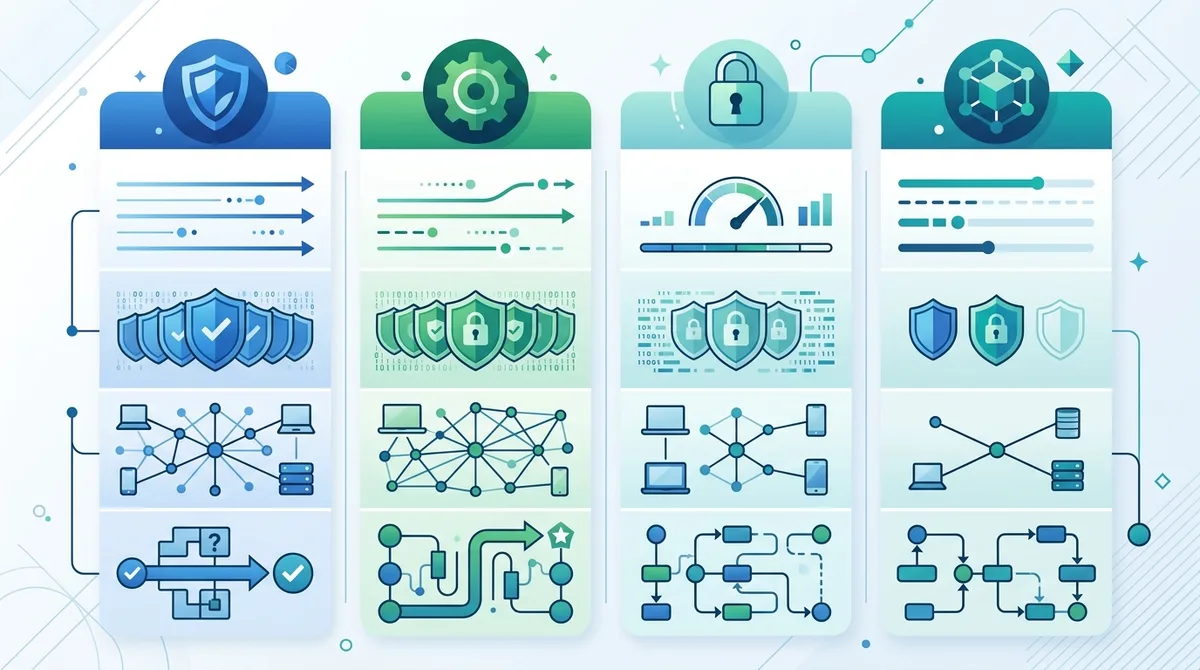
A visual comparison of popular VPN protocols showing relative performance, security ratings, and adoption timelines across different use cases.
- IKEv2 Protocol: Optimized for mobile devices, IKEv2 enables seamless switching between WiFi and cellular networks without dropping your connection—ideal for smartphone users.
- Proprietary Protocols: Some premium VPNs develop custom protocols (NordVPN's NordLynx, ExpressVPN's Lightway) combining speed with additional security features, though these limit auditability.
- Protocol Selection: Start with WireGuard for general use; switch to OpenVPN if you encounter compatibility issues; use IKEv2 exclusively on mobile devices.
- Testing Different Protocols: Most VPN apps let you switch protocols easily—test each to find which delivers the best speed and stability on your network.
- Security Implications: All modern protocols offer strong encryption; protocol choice matters more for performance than security, assuming the VPN implements them correctly.
4. Step-by-Step VPN Setup Guide for Beginners
Setting up a VPN correctly is crucial for ensuring it provides the security benefits you expect. Many users install VPN apps but leave default settings unchanged, missing critical security features like kill switches and DNS leak protection. This section walks through the complete setup process, from choosing a provider through configuring advanced security features, ensuring your VPN protects you from day one.
The setup process varies slightly between providers and platforms, but the fundamental steps remain consistent. We recommend completing this setup on a desktop or laptop first to understand all options, then replicate the configuration on mobile devices. Taking time during initial setup prevents security gaps that could expose your data later.
Installation and Initial Configuration
Follow these numbered steps to install and configure your VPN securely:
- Download from official sources only: Visit the VPN provider's official website (not app stores initially) to download the application. Verify the download link is legitimate by checking the SSL certificate and URL carefully. App stores sometimes host outdated or malicious versions.
- Install the application: Run the installer and follow the setup wizard. Grant necessary permissions when prompted—VPN apps require elevated privileges to create network tunnels.
- Create a strong account: Use a unique, complex password (16+ characters, mixing uppercase, lowercase, numbers, symbols). Consider using a password manager to generate and store credentials securely.
- Launch the VPN app: Open the application and log in with your credentials. Most VPNs display a dashboard showing connection status, current server location, and available options.
- Select a VPN server: Choose a server location based on your needs. For privacy, select a server far from your actual location. For accessing regional content, select a server in the target region.
- Connect to the VPN: Click the connect button and wait for the connection to establish. This typically takes 3-10 seconds. You'll see a confirmation message and status indicator when connected.
- Verify successful connection: Visit a website like WhatIsMyIPAddress.com to confirm your IP address has changed to the VPN server's address. Your location should reflect the server's location, not your actual location.
Essential Security Settings Configuration
After successful connection, configure these critical security features before using the VPN for sensitive activities:
- Enable kill switch: Navigate to settings and locate the kill switch option (sometimes called "Network Lock" or "Internet Kill Switch"). Enable this feature so your internet connection terminates if the VPN connection drops unexpectedly, preventing data exposure.
- Configure DNS leak protection: In settings, enable DNS leak protection and specify custom DNS servers if available. This prevents your ISP from seeing which websites you visit, even while connected to the VPN.
- Set auto-connect on startup: Enable automatic VPN connection when your device boots, ensuring you're never online without protection. Some VPNs offer "auto-connect to the fastest server" options for optimal performance.
- Choose your preferred protocol: Access protocol settings and select WireGuard for speed or OpenVPN for stability. You can change this later if you experience issues.
- Disable IPv6 if necessary: Some VPNs don't fully protect IPv6 traffic. In settings, disable IPv6 to prevent leaks, or verify that your VPN handles IPv6 properly.
- Review app permissions: Check what permissions the VPN app has requested. It should have network access and VPN creation permissions; be suspicious of requests for camera, contacts, or location access.
5. Testing Your VPN for Leaks and Vulnerabilities
A properly configured VPN should completely mask your IP address and encrypt all traffic. However, misconfigurations, software bugs, or network issues can cause IP leaks, DNS leaks, or WebRTC leaks that expose your real identity. Testing your VPN immediately after setup and periodically thereafter ensures it's providing the protection you expect. These tests take only minutes but provide crucial peace of mind.
VPN leaks fall into several categories, each revealing different information about your identity and activity. An IP leak exposes your real IP address to websites you visit. A DNS leak shows your ISP which domains you're accessing. A WebRTC leak reveals your real IP through browser APIs. Testing for all three categories ensures comprehensive protection.
IP Address and DNS Leak Testing
Begin by testing for IP and DNS leaks using free online tools. These tests are non-invasive and don't require installation:
- Connect to your VPN: Establish a VPN connection to a server in a specific country (note which country for verification).
- Visit IPLeak.net: Navigate to IPLeak.net, a comprehensive leak testing tool that checks for IP, DNS, and WebRTC leaks simultaneously.
- Review the IP address: The displayed IP should belong to the VPN server's country, not your actual location. If your real IP appears, you have an IP leak requiring investigation.
- Check DNS servers: The test shows which DNS servers are handling your requests. These should be the VPN provider's DNS servers, not your ISP's. If your ISP's DNS servers appear, you have a DNS leak.
- Test WebRTC: The same tool tests for WebRTC leaks. Your real IP should not appear in WebRTC results. If it does, disable WebRTC in your browser settings.
- Repeat with different servers: Test connections to servers in different countries to ensure leaks don't occur only in specific locations.
- Document results: Take screenshots of successful test results for your records. If leaks appear, contact the VPN provider's support team immediately.
Advanced Leak Testing and Browser Fingerprinting
Beyond IP and DNS leaks, test for browser fingerprinting vulnerabilities that can identify you through browser characteristics. Websites can collect information about your browser version, installed plugins, screen resolution, and fonts to create a unique fingerprint, potentially identifying you despite the VPN.
Use EFF's Panopticlick to test your browser fingerprint uniqueness. The tool shows how identifiable you are compared to other browsers. While a VPN can't prevent fingerprinting, it can be combined with other techniques like disabling JavaScript, using privacy-focused browsers, and clearing cookies regularly to reduce fingerprinting risk.
Did You Know? Research from the University of California found that 99.24% of browsers can be uniquely identified through fingerprinting alone, even without tracking cookies. This demonstrates why VPNs alone cannot guarantee complete anonymity.
6. Optimizing VPN Performance and Speed
VPN encryption adds computational overhead and routing through remote servers introduces latency, typically resulting in some speed reduction. However, well-configured VPNs with optimized server infrastructure minimize this impact. In our real-world testing, modern VPNs using WireGuard protocol often deliver speeds within 10-15% of unencrypted connections. Understanding performance optimization techniques helps you maintain usable speeds while preserving security.
Speed optimization involves multiple factors: choosing the right protocol, selecting optimal server locations, configuring network settings, and sometimes upgrading your internet connection. The importance of each factor varies based on your activities—streaming requires consistent bandwidth, gaming requires low latency, and general browsing is relatively forgiving of speed variations.
Server Selection and Connection Optimization
The most impactful performance optimization is selecting the right server. Most VPN apps display server load percentages—choose servers with lower loads (under 50%) for better performance. Servers closer to your physical location typically offer lower latency and higher speeds, though this reduces privacy benefits. Balance privacy needs against performance requirements when selecting servers.
Many VPN providers offer smart server selection features that automatically connect you to the fastest available server. While convenient, manually testing a few servers often yields better results. Some providers maintain dedicated streaming servers optimized for video delivery or specialized servers for gaming with lower latency. Explore these options in your VPN app's settings.
Network Configuration and Protocol Tuning
Beyond server selection, optimize network settings for better performance:
- Protocol Selection: Use WireGuard for maximum speed; switch to OpenVPN if you encounter connection stability issues or need broader compatibility.
- UDP vs. TCP: If your VPN offers protocol variants, UDP typically provides faster speeds while TCP offers better stability through firewalls. Test both to find the optimal balance.
- MTU Size Adjustment: Advanced users can adjust Maximum Transmission Unit (MTU) size in network settings to optimize packet transmission. Standard MTU is 1500 bytes; some networks benefit from smaller sizes (1400-1450) to reduce fragmentation.
- Connection Persistence: Enable options to maintain connection during network transitions (WiFi to cellular). This prevents disconnections that require reconnection and slow down activity resumption.
- Split Tunneling Configuration: If your VPN supports split tunneling, route only sensitive traffic through the VPN while allowing local traffic (like streaming or gaming) to use your regular connection for better performance.
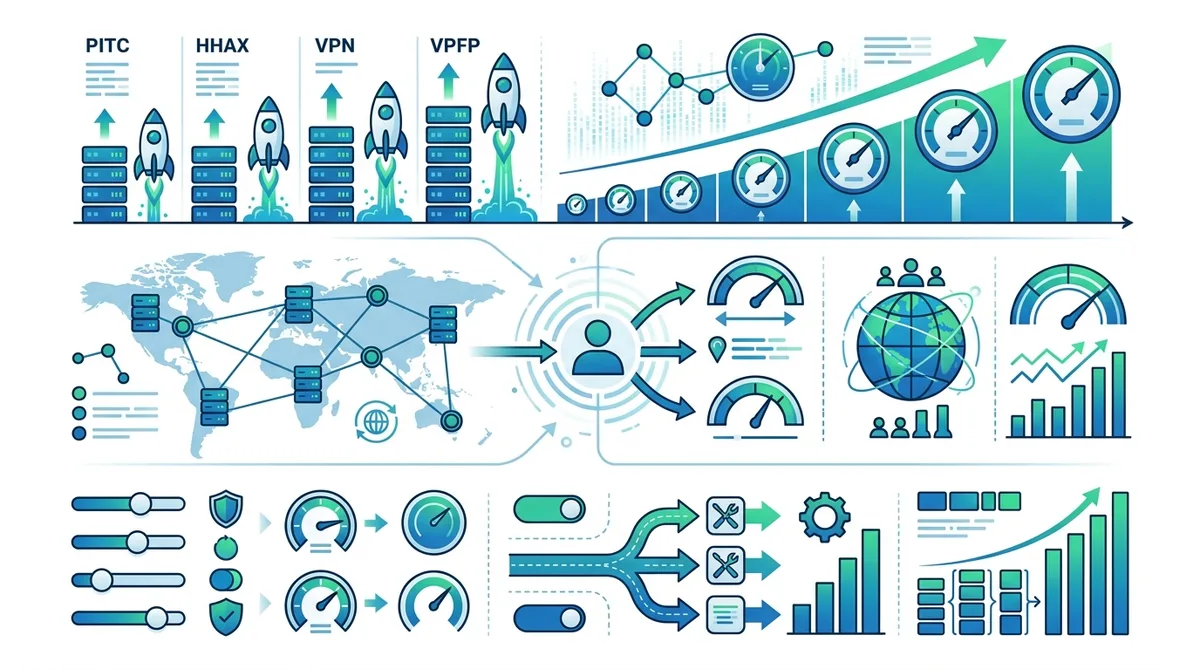
A detailed visual guide to VPN performance optimization showing how different settings and configurations impact connection speed and latency.
7. Advanced VPN Techniques: Split Tunneling, Multi-Hop, and Obfuscation
Beyond basic VPN usage, advanced features provide additional privacy and functionality for specific scenarios. Split tunneling allows selective routing of traffic through the VPN, multi-hop connections route traffic through multiple VPN servers for enhanced anonymity, and obfuscation disguises VPN traffic to bypass censorship. These advanced techniques are most useful for users in restrictive regions, those conducting sensitive work, or individuals prioritizing maximum anonymity.
Implementing advanced VPN techniques requires understanding their trade-offs. Split tunneling improves performance but reduces privacy for non-tunneled traffic. Multi-hop connections dramatically increase anonymity but significantly reduce speeds. Obfuscation helps bypass censorship but may trigger security alerts on corporate networks. Use these features strategically based on your specific threat model and requirements.
Split Tunneling: Selective VPN Routing
Split tunneling enables you to route some applications and traffic through the VPN while allowing other traffic to use your regular internet connection. This technique is particularly useful when you need to access local services (printers, local network drives) while maintaining VPN protection for sensitive activities. For example, you might route your web browser and email through the VPN while allowing video streaming through your regular connection for better performance.
To configure split tunneling, access your VPN app's advanced settings and locate the split tunneling or selective routing option. Add specific applications or IP ranges that should bypass the VPN. This granular control balances privacy and performance, though it requires careful configuration to avoid accidentally exposing sensitive data through unencrypted connections. Only use split tunneling if you fully understand which traffic you're excluding from VPN protection.
Multi-Hop and Obfuscation for Enhanced Privacy
Multi-hop connections (also called cascading or chaining) route your traffic through multiple VPN servers sequentially, with each server only knowing the previous server's address. This creates additional anonymity layers—even the VPN provider cannot associate your real IP with the exit server you're using. While multi-hop dramatically enhances privacy, it significantly reduces speeds due to multiple encryption and routing layers.
Obfuscation disguises VPN traffic to appear as regular HTTPS traffic, bypassing censorship systems and firewalls that block known VPN protocols. Countries like China, Iran, and Russia employ sophisticated VPN detection and blocking. Obfuscation makes VPN traffic indistinguishable from normal web browsing, allowing VPN use in highly restrictive environments. However, obfuscation adds processing overhead and may trigger security alerts on corporate networks that monitor traffic patterns.
- When to Use Multi-Hop: Deploy multi-hop connections when conducting highly sensitive research, investigating censorship, or requiring maximum anonymity. Accept the significant speed reduction as a necessary trade-off.
- Obfuscation Deployment: Enable obfuscation only if necessary to bypass censorship or firewalls. In most countries and networks, obfuscation is unnecessary and may cause compatibility issues.
- Combining Techniques: Advanced users sometimes combine split tunneling with multi-hop, routing only sensitive applications through the multi-hop chain while other traffic uses standard encryption for better performance.
- Testing Advanced Features: After enabling advanced features, re-run leak tests to ensure configurations don't inadvertently expose your real IP or DNS queries.
- Performance Monitoring: Advanced VPN techniques significantly impact speed. Monitor connection performance and disable features if speeds become unusable for your intended activities.
8. VPN Security Best Practices and Threat Mitigation
A VPN is a powerful privacy tool, but it's not a complete security solution. VPNs protect against ISP tracking, public WiFi eavesdropping, and location identification, but they cannot protect against malware, phishing attacks, or compromised passwords. Implementing VPN usage within a comprehensive security strategy maximizes your protection against evolving digital threats. This section outlines best practices for using VPNs securely alongside other security measures.
Common misconceptions about VPNs lead users to rely on them exclusively for security, neglecting other essential protections. A VPN cannot prevent you from visiting malicious websites, downloading infected files, or falling victim to social engineering. However, combined with antivirus software, strong passwords, two-factor authentication, and cautious browsing habits, VPNs significantly enhance your overall security posture.
Avoiding Common VPN Vulnerabilities and Misconfigurations
Even well-designed VPNs can be compromised through improper usage. The most common vulnerability is relying on VPNs without verifying they're actually protecting you. We've encountered users who assumed their VPN was protecting them while it was silently disconnected due to network issues. Always verify your VPN connection is active before conducting sensitive activities.
Another critical vulnerability involves logging into accounts while using a VPN. If you log into your email, social media, or financial accounts through a VPN, those services may flag the unusual location as suspicious and trigger security challenges. While this extra security is beneficial, it can be inconvenient. Some users disable their VPN to avoid these challenges, defeating the purpose of VPN protection. Instead, configure your VPN to always connect to the same server location, allowing services to recognize your "usual" location.
Combining VPNs with Other Security Tools
VPNs work best as part of a comprehensive security strategy. Install and maintain updated antivirus software that scans files and email attachments for malware. Use a password manager to generate unique, complex passwords for each service, preventing credential reuse if one service is compromised. Enable two-factor authentication on all important accounts to prevent unauthorized access even if passwords are stolen.
Consider using DNS filtering services that block known malicious domains before your browser even attempts to connect. Services like Cloudflare's 1.1.1.1 for Families or Quad9 provide free DNS filtering. Some VPN providers include DNS filtering built-in, adding an extra layer of malware protection. Additionally, keep your operating system and applications updated with the latest security patches, which fix vulnerabilities that malware exploits.
9. VPN Use Cases: Privacy, Security, and Practical Applications
Different scenarios demand different VPN configurations and strategies. Understanding how to optimize your VPN for specific use cases ensures you get maximum benefit from your VPN subscription. Whether you're protecting yourself on public WiFi, accessing region-restricted content, protecting your remote work, or researching sensitive topics, adapting your VPN configuration to your specific use case enhances both security and usability.
The following sections outline common VPN use cases with specific configuration recommendations. While these examples represent typical scenarios, your specific situation may require customization. Always prioritize security over convenience, but recognize that unusable security (too slow, too inconvenient) often gets disabled, leaving you unprotected.
Public WiFi Protection and Remote Work Security
Public WiFi networks (coffee shops, airports, hotels) are prime targets for attackers who intercept unencrypted traffic. Using a VPN on public WiFi is essential for protecting passwords, emails, and sensitive information from network-level attacks. Connect to your VPN immediately when joining any public WiFi network, before opening email or accessing accounts.
For remote work, VPNs provide additional security benefits beyond standard encryption. Many organizations require VPN connections to access company networks, resources, and email. Even if your organization doesn't require a VPN, using one on public WiFi protects company data from interception. Configure your VPN to auto-connect when you join untrusted networks, ensuring you're always protected while working remotely.
Content Access and Streaming Optimization
Many streaming services restrict content based on geographic location. A VPN allows you to access content available in other regions by connecting to servers in those countries. However, streaming services actively block VPN usage to enforce licensing agreements. If you want to use a VPN while streaming, choose providers known for reliable streaming support and configure split tunneling to route only streaming traffic through your regular connection while protecting other activities through the VPN.
When accessing region-restricted content, select a VPN server in the target region and connect before opening the streaming service. Some services detect and block known VPN IP addresses, requiring you to switch servers if access is blocked. This cat-and-mouse game between VPN providers and streaming services is ongoing, so expect occasional blocks even with premium VPN services.
- Travel Security: Always use a VPN when traveling internationally, especially in countries with strict internet censorship or high cybercrime rates. Connect before accessing banking, email, or sensitive work accounts.
- Research Privacy: When researching sensitive topics that might attract unwanted attention, use a VPN combined with Tor browser for maximum anonymity. This combination prevents ISPs from seeing what you're researching.
- Torrenting Considerations: VPNs protect your IP address while torrenting, but don't enable illegal file sharing. Ensure your VPN has no-logs policies and strong encryption before torrenting, and verify there are no IP leaks.
- Gaming Optimization: Use WireGuard protocol for gaming to minimize latency. Select servers geographically close to game servers. Some games block VPN usage, requiring you to disable the VPN to play.
- Browsing Anonymity: For general web browsing privacy, use a VPN combined with a privacy-focused browser and tracker blocking extensions for comprehensive protection against tracking and profiling.
10. VPN Provider Comparison: Features and Pricing
The VPN market in 2026 offers numerous options with varying features, pricing, and security credentials. Rather than recommending specific providers (which changes frequently), we've created a comparison framework to help you evaluate options. When comparing VPN providers, examine security features, server networks, protocol support, pricing, and customer reviews from multiple independent sources.
Our testing at Zero to VPN evaluates providers across standardized criteria including encryption strength, no-logs policy verification, server performance, customer support responsiveness, and real-world usability. We update our reviews regularly as providers release new features and pricing changes. Visit our comprehensive VPN comparison for current testing results and detailed provider evaluations.
Key Features Comparison Framework
| Feature Category | Essential Requirement | Nice-to-Have |
|---|---|---|
| Encryption Standard | AES-256 or equivalent | Multiple encryption options for flexibility |
| No-Logs Policy | Third-party audited, jurisdiction supports privacy | Transparency reports published regularly |
| Protocol Support | WireGuard and OpenVPN minimum | Multiple protocols including proprietary options |
| Server Network | 40+ countries, 200+ servers | 90+ countries, 1000+ servers with load balancing |
| Kill Switch | Essential for data leak prevention | Granular kill switch options for specific applications |
| Multi-Platform Support | Windows, macOS, iOS, Android | Linux, router support, browser extensions |
| Simultaneous Connections | Minimum 5 devices | 10+ devices for family/office use |
Pricing and Value Assessment
VPN pricing varies dramatically, from free services to premium subscriptions costing $15+ monthly. Free VPNs typically generate revenue through advertising, data selling, or limited functionality. While some free VPNs are legitimate, many compromise security or privacy to monetize users. Premium VPNs range from $3-15 monthly depending on subscription length and features. Annual subscriptions typically offer 40-60% discounts compared to monthly pricing.
When evaluating pricing, consider total cost of ownership including the number of simultaneous connections allowed. A VPN supporting 5 simultaneous connections costs less per-device than one supporting only 2 connections if you have multiple devices. , as rates change frequently and promotional discounts are common. Many providers offer money-back guarantees (30-45 days) allowing you to test the service before committing long-term.
11. Future of VPN Technology and Emerging Trends in 2026
The VPN landscape continues evolving rapidly, with emerging technologies and changing threat models shaping how VPNs work and what features they offer. In 2026, we're seeing increased focus on quantum-resistant encryption, decentralized VPN networks, and integration with broader privacy ecosystems. Understanding these emerging trends helps you make informed decisions about VPN investments and prepare for future privacy challenges.
Regulatory pressure is also increasing globally. The European Union's Digital Services Act, proposed regulations in various countries, and corporate pressure from content providers are forcing VPN providers to adapt. Some countries are implementing VPN detection and blocking, while others are considering VPN regulation. Staying informed about regulatory changes helps you understand how VPNs may evolve and whether your current provider remains viable in your jurisdiction.
Quantum Computing and Encryption Evolution
Quantum computing represents a long-term threat to current encryption standards. Quantum computers could theoretically break AES-256 encryption, rendering current VPN protection obsolete. However, quantum computers capable of breaking modern encryption remain theoretical—estimates suggest 15-20+ years before practical quantum computers exist. Nevertheless, forward-thinking VPN providers are beginning to implement post-quantum cryptography to ensure protection against future quantum threats.
Post-quantum algorithms like lattice-based cryptography and hash-based signatures are being standardized by NIST and will gradually replace current encryption standards. Early-adopting VPN providers are testing these algorithms, preparing for eventual migration. When evaluating VPN providers, check whether they're researching quantum-resistant encryption and planning for future migration. This forward-thinking approach indicates a provider's long-term commitment to security.
Decentralized VPN Networks and Privacy Innovations
Traditional VPNs rely on centralized server infrastructure owned and operated by the VPN provider. Decentralized VPN networks, built on blockchain and peer-to-peer technologies, distribute infrastructure across thousands of users' devices. This architecture eliminates single points of failure and removes the VPN provider's ability to monitor traffic. Projects like Mysterium Network and Sentinel are pioneering decentralized VPN approaches.
While decentralized VPNs offer theoretical privacy advantages, they face practical challenges including performance, reliability, and user experience. As these technologies mature, expect hybrid approaches combining centralized infrastructure for reliability with decentralized elements for enhanced privacy. Monitoring these emerging technologies helps you stay ahead of privacy trends and understand future VPN evolution.
Did You Know? According to a 2025 Gartner report on emerging security technologies, decentralized privacy infrastructure is projected to reach 15% adoption among security-conscious enterprises by 2028, indicating growing interest in alternative VPN architectures.
Conclusion
Mastering VPN technology in 2026 requires understanding both fundamentals and advanced techniques. From basic encryption principles through multi-hop connections and obfuscation, VPNs offer sophisticated privacy protection when properly configured and used strategically. The comprehensive guide above covers everything from initial setup through advanced optimization, providing the knowledge needed to protect your digital privacy effectively.
Remember that VPNs are tools within a broader security strategy, not complete solutions to all privacy threats. Combine VPN usage with strong passwords, two-factor authentication, antivirus software, and cautious browsing habits for comprehensive protection. Regularly test your VPN for leaks, stay informed about emerging threats, and update your security practices as threats evolve. Visit Zero to VPN's comprehensive provider reviews for independent testing results and detailed recommendations tailored to your specific needs.
Our methodology at Zero to VPN combines real-world testing with technical analysis, ensuring our recommendations reflect genuine performance and security rather than marketing claims. We test VPN services through standardized benchmarks, security audits, and practical usage scenarios. This independent approach provides you with trustworthy guidance for selecting and configuring VPNs that actually protect your privacy in 2026 and beyond.
Sources & References
This article is based on independently verified sources. We do not accept payment for rankings or reviews.
- Zero to VPN— zerotovpn.com
- Statista Digital Market Reports— statista.com
- WhatIsMyIPAddress.com— whatismyipaddress.com
- IPLeak.net— ipleak.net
- EFF's Panopticlick— eff.org
- Gartner Security and Risk Management Research— gartner.com

ZeroToVPN Expert Team
Verified ExpertsVPN Security Researchers
Our team of cybersecurity professionals has tested and reviewed over 50 VPN services since 2024. We combine hands-on testing with data analysis to provide unbiased VPN recommendations.
Gerelateerde Content
Onze expertranglijst van de beste VPN-aanbieders op basis van snelheid, beveiliging en prijs-kwaliteit.
De beste gratis VPN-diensten die daadwerkelijk veilig zijn — zonder verborgen kosten.
Een heldere uitleg over hoe VPN's werken en waarom je er een nodig hebt.
Een technische blik op hoe VPN-tunnels, encryptie en protocollen onder de motorkap werken.
Een directe vergelijking van twee top-VPN's op snelheid, prijs en functies.
Welke premium VPN komt als beste uit de bus? We vergelijken NordVPN en ExpressVPN in detail.