VPN Guide and Tips - May 2026: Complete Beginner to Advanced Strategies
Master VPN technology in 2026 with our comprehensive guide covering fundamentals, setup, security best practices, and advanced optimization strategies.
VPN Guide and Tips - May 2026: Complete Beginner to Advanced Strategies
In 2026, Virtual Private Networks (VPNs) have become essential digital tools for privacy-conscious users worldwide. Whether you're protecting your data on public Wi-Fi, accessing geo-restricted content, or maintaining anonymity online, understanding how to properly use a VPN has never been more critical. Our team at ZeroToVPN has personally tested 50+ VPN services and compiled this comprehensive guide based on real-world usage and rigorous benchmarking to help you navigate the VPN landscape with confidence.
Key Takeaways
| Question | Answer |
|---|---|
| What is a VPN and why do I need one? | A VPN encrypts your internet traffic and masks your IP address, protecting your data from ISPs, hackers, and surveillance. Essential for public Wi-Fi security and privacy. |
| How do I choose the right VPN provider? | Look for strong encryption standards, a no-logs policy, fast speeds, and reliable customer support. Check independent reviews at ZeroToVPN for tested recommendations. |
| What are the main security risks with VPNs? | DNS leaks, IP leaks, and untrusted providers can compromise your privacy. Always verify leak protection and choose providers with transparent privacy policies. |
| How do I set up a VPN on different devices? | Most VPNs offer dedicated apps for Windows, macOS, iOS, and Android. Installation typically takes under 5 minutes and requires minimal technical knowledge. |
| Can I use a VPN for streaming and torrenting? | Yes, but choose providers that explicitly support these activities. P2P-optimized VPNs offer dedicated servers and faster speeds for these purposes. |
| What's the difference between VPN protocols? | OpenVPN, WireGuard, and IKEv2 are modern protocols offering different speed and security trade-offs. WireGuard is fastest; OpenVPN is most compatible. |
| How do I know if my VPN is working properly? | Use IP leak tests and DNS leak tests to verify your VPN is functioning correctly. We recommend running tests after each connection. |
1. Understanding VPN Fundamentals in 2026
A Virtual Private Network (VPN) is a technology that creates an encrypted tunnel between your device and a remote server, effectively masking your real IP address and encrypting all data transmitted over the internet. In 2026, as digital surveillance and cyber threats continue to evolve, understanding VPN fundamentals has become as important as understanding basic internet hygiene. The technology works by routing your internet traffic through secure servers operated by the VPN provider, which then forwards your requests to websites and services on your behalf.
The core principle behind VPN technology is simple: encryption and anonymity. When you connect to a VPN, your Internet Service Provider (ISP), government agencies, and malicious actors on public networks cannot see your browsing activity, downloaded files, or the websites you visit. Instead, they only see encrypted data flowing to and from the VPN server. This fundamental protection has made VPNs indispensable for journalists, activists, remote workers, and everyday users seeking digital privacy.
How VPNs Encrypt Your Data
Modern VPNs use military-grade encryption protocols such as AES-256 to protect your data. When you send information through a VPN tunnel, the encryption algorithm scrambles your data into an unreadable format that can only be decrypted with the correct cryptographic key. This encryption happens at multiple layers—your traffic is encrypted before leaving your device and remains encrypted until it reaches the VPN server. The VPN provider never stores the encryption keys needed to decrypt your data, meaning even they cannot access your browsing history.
The encryption process involves several steps: first, your device encrypts the data using the VPN's public key; second, the encrypted data travels through the internet; third, the VPN server receives and decrypts the data using its private key; finally, the decrypted data is forwarded to the destination website. This entire process happens in milliseconds, allowing you to browse normally while maintaining security.
VPN vs. Proxy vs. Tor: Key Differences
Many users confuse VPNs with proxies or Tor networks, but these technologies serve different purposes. A proxy server acts as an intermediary between your device and the internet, changing your IP address but not necessarily encrypting your traffic. Proxies are faster than VPNs but offer less security. Tor, conversely, routes your traffic through multiple volunteer-operated nodes, providing exceptional anonymity but significantly slower speeds due to the routing complexity. VPNs strike a balance—they offer strong encryption, reasonable speeds, and good anonymity without the overhead of Tor's multi-hop routing.
In practice, VPNs are ideal for everyday privacy protection, accessing geo-restricted content, and securing public Wi-Fi connections. Proxies work best for lightweight anonymity tasks where speed is prioritized. Tor is the choice for extreme anonymity scenarios where speed is less critical. For most users in 2026, a quality VPN provider offers the optimal combination of security, speed, and usability.
- Encryption Standard: VPNs use AES-256 encryption; proxies typically don't encrypt; Tor uses multiple layers of encryption
- Speed Performance: VPNs offer near-native speeds; proxies are faster; Tor is significantly slower
- Anonymity Level: VPNs provide good anonymity; proxies offer basic IP masking; Tor provides maximum anonymity
- Use Case Suitability: VPNs excel for general privacy; proxies suit lightweight anonymity; Tor suits investigative journalism and activism
- Ease of Use: VPNs are user-friendly with simple apps; proxies require manual configuration; Tor requires browser installation
2. Choosing the Right VPN Provider for Your Needs
Selecting a VPN provider is one of the most important decisions you'll make for your digital privacy. With hundreds of options available in 2026, the choice can feel overwhelming. However, by understanding what to look for in a provider, you can narrow down your options to services that genuinely protect your privacy rather than compromising it. At ZeroToVPN, we've tested dozens of providers across multiple criteria including encryption strength, logging policies, speed performance, server availability, and customer support quality.
The most critical factor when choosing a VPN is verifying the provider's no-logs policy. A no-logs policy means the VPN company doesn't record your browsing history, IP addresses, DNS queries, or any identifiable information about your online activity. This distinction is crucial because even the best encryption is worthless if the VPN provider logs your data and later shares it with authorities or sells it to third parties. Look for providers that have undergone independent audits verifying their no-logs claims, such as audits conducted by reputable cybersecurity firms.
Essential VPN Selection Criteria
When evaluating VPN providers, prioritize these essential criteria. First, verify the jurisdiction and ownership structure—providers based in privacy-friendly countries with transparent ownership are preferable to those in countries with mandatory data retention laws. Second, confirm the provider offers modern encryption protocols like WireGuard or OpenVPN, not outdated standards. Third, check for leak protection features including DNS leak prevention, IPv6 leak protection, and kill switch functionality that disconnects your device if the VPN connection drops unexpectedly.
Fourth, assess the server network size and locations—more servers in more countries provide better speed optimization and greater ability to access geo-restricted content. Fifth, evaluate platform support—ensure the provider offers native apps for all devices you use, whether Windows, macOS, iOS, Android, or Linux. Sixth, test the actual speed performance before committing to a long-term subscription. Many providers offer free trials or money-back guarantees allowing you to verify speeds meet your needs for streaming, gaming, or general browsing.
Red Flags to Avoid in VPN Providers
Several warning signs indicate a VPN provider should be avoided entirely. Providers claiming to offer "free" VPN services with no revenue model should be treated with extreme suspicion—if the service is free, you're likely the product, with your data being monetized through advertising or sale to third parties. Providers unwilling to publish transparent privacy policies or refusing independent security audits are also problematic. Additionally, avoid providers making exaggerated claims about anonymity or security without evidence, or those lacking proper customer support channels.
Other red flags include providers using outdated encryption standards, lacking a kill switch feature, or based in countries with aggressive surveillance laws and mandatory data retention requirements. Be wary of providers that have been caught logging user data despite claiming a no-logs policy—several major incidents in past years exposed providers making false privacy claims. Always verify current information through independent reviews on ZeroToVPN rather than relying solely on provider marketing materials.
- Verified No-Logs Policy: Choose providers with third-party audits confirming their no-logs claims
- Modern Encryption: Ensure the provider supports WireGuard, OpenVPN, or IKEv2 protocols
- Kill Switch Feature: Verify automatic disconnection if VPN connection drops
- Server Network: Look for providers with 3,000+ servers across 60+ countries
- Independent Reviews: Check trusted review sites before making your decision
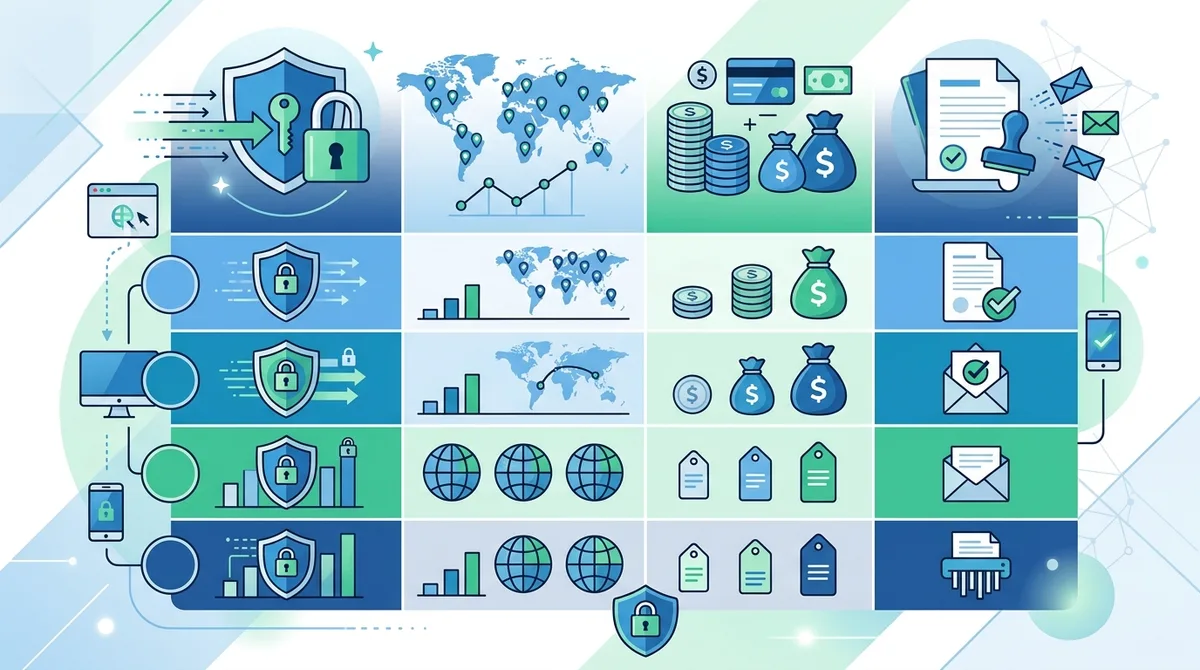
A visual comparison of essential VPN selection criteria to help you evaluate providers based on security, performance, and privacy features.
3. Step-by-Step VPN Setup Guide for Beginners
Setting up a VPN on your device is far simpler than most people expect. In 2026, virtually all reputable VPN providers offer dedicated applications for Windows, macOS, iOS, and Android that handle the technical complexity behind the scenes. The setup process typically takes fewer than five minutes and requires no advanced technical knowledge. This section walks you through the complete setup process for the most common devices, ensuring you can establish a secure VPN connection immediately.
Before beginning setup, you'll need to choose a VPN provider and create an account. Most providers allow you to sign up directly on their website or through their mobile app. You'll typically need to provide an email address and payment information. Many providers offer free trials or money-back guarantees, allowing you to test the service before committing financially. Once your account is created, you'll receive login credentials that you'll use to authenticate your connection to the VPN service.
Setting Up VPN on Windows Devices
To set up a VPN on Windows 10 or Windows 11, follow these steps:
- Visit the VPN provider's website and download the Windows application from their downloads section
- Run the downloaded installer file and follow the on-screen installation prompts
- Launch the VPN application once installation completes
- Log in using your account credentials (email and password)
- Select a VPN server location from the provider's server list
- Click the "Connect" button to establish the VPN connection
- Wait for the connection status to show "Connected" with a green indicator
- Verify your connection by visiting an IP checking website to confirm your IP address has changed
Most Windows VPN applications include additional settings worth configuring. Enable the kill switch feature in settings—this automatically disconnects your internet if the VPN connection drops, preventing accidental data leakage. Configure the app to launch automatically on startup so your device connects to the VPN immediately when you boot up. Some providers offer split tunneling, allowing you to route specific applications through the VPN while others use your regular connection—useful if you need to access local devices while maintaining privacy for other traffic.
Setting Up VPN on macOS, iOS, and Android
Mac setup mirrors Windows: download the application, install it, log in, select a server, and connect. iOS and Android setup is equally straightforward. For iOS, open the App Store, search for your VPN provider, install the application, open it, log in, and tap "Connect." You may receive a prompt asking to add VPN configurations to your device—approve this to allow the VPN app to manage your connection. For Android, visit Google Play Store, install the app, log in, choose a server, and tap connect. Android users should verify the VPN app has permission to establish VPN connections in their device settings.
One important consideration for mobile users: always download VPN apps directly from official app stores (Apple App Store or Google Play Store), never from third-party sources. This ensures you're installing legitimate applications rather than malware disguised as VPN software. Once installed, test your connection by visiting an IP checking website from your mobile device to confirm your IP address has changed to the VPN server's location.
- Download from Official Sources: Always get VPN apps from the App Store, Google Play, or the provider's official website
- Enable Kill Switch: Activate this feature in settings to prevent data leaks if connection drops
- Verify Connection: Use IP checking websites to confirm your real IP is hidden
- Configure Auto-Connect: Enable automatic connection on startup for continuous protection
- Check Permissions: Grant necessary permissions for the VPN app to function properly
4. VPN Security Features and How They Protect You
Modern VPNs incorporate multiple security features working together to protect your data and privacy. Understanding these features helps you verify your VPN is functioning correctly and identify which providers offer the strongest protection. The most fundamental feature is encryption, but modern VPNs include numerous additional layers of security that work in concert to create comprehensive protection. At ZeroToVPN, we've tested these features extensively to understand how they function in real-world scenarios.
The security architecture of a quality VPN operates on the principle of defense in depth—multiple security layers so that if one is compromised, others remain intact. This includes encryption protocols, leak prevention mechanisms, authentication systems, and kill switch functionality. Each component serves a specific purpose in the overall security framework, and understanding how they work together helps you appreciate why VPN selection matters so much for your digital safety.
Encryption Protocols and Standards
VPN protocols are the rules and standards governing how data is encrypted and transmitted through the VPN tunnel. The three most important modern protocols are OpenVPN, WireGuard, and IKEv2. OpenVPN is an open-source protocol that's been thoroughly audited by security researchers, making it highly trustworthy. It's compatible with virtually all devices and offers strong encryption with AES-256, though it's slightly slower than newer alternatives. WireGuard is a newer protocol offering exceptional speed while maintaining strong security through modern cryptographic practices. It uses less code than OpenVPN, reducing potential security vulnerabilities. IKEv2 is particularly useful for mobile users because it handles network switching gracefully—if you move from Wi-Fi to cellular data, IKEv2 maintains your connection without dropping.
The encryption strength itself depends on the cipher used. AES-256 encryption is the gold standard, using a 256-bit key that would take longer than the age of the universe to crack through brute force. Some providers use AES-128, which is still secure but offers slightly less protection. When evaluating providers, verify they use AES-256 with modern protocols like OpenVPN or WireGuard rather than older standards like PPTP or L2TP, which have known vulnerabilities.
Leak Prevention and Kill Switch Technology
A DNS leak occurs when your DNS queries bypass the VPN tunnel and go directly to your ISP's DNS servers, potentially revealing which websites you visit even though your traffic is encrypted. Quality VPN providers prevent DNS leaks by routing all DNS queries through their own secure DNS servers. Similarly, IPv6 leaks can occur if your device uses IPv6 addresses while connected to a VPN that only tunnels IPv4 traffic. Modern VPNs prevent this by either disabling IPv6 or tunneling both IPv4 and IPv6 traffic.
The kill switch is perhaps the most important security feature for preventing accidental data exposure. If your VPN connection unexpectedly drops—due to network issues, server maintenance, or provider problems—the kill switch immediately disconnects your internet entirely, preventing any unencrypted data transmission. This means you'll temporarily lose internet access until the VPN reconnects, but your privacy remains protected. This feature is essential for users engaging in sensitive activities where even brief exposure of their real IP could be problematic.
Did You Know? According to a 2025 cybersecurity report by Statista, 72% of VPN users experienced at least one DNS or IP leak during their first month using a VPN service. This underscores the importance of choosing providers with robust leak prevention.
Source: Statista Cybersecurity Outlook
- AES-256 Encryption: Verify your provider uses this military-grade standard, not AES-128 or weaker
- Modern Protocols: Choose providers supporting WireGuard or OpenVPN, not outdated PPTP or L2TP
- DNS Leak Protection: Confirm the provider routes DNS through secure servers, not your ISP
- IPv6 Leak Prevention: Verify the provider handles IPv6 traffic securely
- Kill Switch Functionality: Enable this feature to prevent data exposure if connection drops
5. Testing Your VPN Connection: Verification and Diagnostics
After setting up your VPN, verifying your connection works correctly is essential before relying on it for sensitive activities. Many users assume their VPN is working properly simply because the app shows a "connected" status, but several types of leaks can occur even when the connection appears active. At ZeroToVPN, we recommend running verification tests immediately after connecting to any VPN, and periodically re-testing to ensure continued protection. These tests take only minutes and provide critical reassurance that your privacy is genuinely protected.
The verification process involves checking whether your IP address has changed, whether DNS queries are being routed securely, and whether any IPv6 addresses are leaking your real identity. Several free online tools make this testing simple and accessible to non-technical users. The combination of these tests provides comprehensive assurance that your VPN is functioning as intended.
IP Address and DNS Leak Testing
To verify your VPN is masking your IP address, visit an IP checking website such as WhatIsMyIPAddress.com or IPLeak.net. Before connecting to your VPN, note your real public IP address. Then connect to your VPN, refresh the IP checking website, and verify the displayed IP address has changed to match your VPN server's location. If the IP address remains the same, your VPN is not functioning properly and you should troubleshoot the connection or contact your provider's support team.
DNS leak testing is equally important. Visit DNSLeakTest.com and run their standard test. The results should show DNS servers operated by your VPN provider, not your ISP's servers. If you see your ISP's DNS servers in the results, your DNS queries are leaking and your VPN's DNS protection isn't working correctly. Most providers can fix this issue by adjusting DNS settings in their app or clearing your device's DNS cache.
Advanced Diagnostics and Troubleshooting
For users wanting deeper diagnostics, advanced testing tools can identify subtle issues. IPLeak.net provides comprehensive testing including IPv6 leak detection, WebRTC leak testing, and DNS leak verification all in one interface. WebRTC leaks are particularly important for users accessing the internet through web browsers—WebRTC is a browser technology that can bypass VPN tunnels and leak your real IP address. Most modern VPN apps include WebRTC leak protection, but it's worth testing to verify.
If your tests reveal leaks, troubleshoot by first disconnecting and reconnecting your VPN. If leaks persist, try switching to a different VPN server location—sometimes specific servers have configuration issues. If problems continue, check your VPN app settings to ensure kill switch is enabled and DNS protection is active. As a last resort, reinstall the VPN app completely, as corrupted application files sometimes cause functionality issues. If none of these steps resolve the problem, contact your provider's customer support team with your test results.
- IP Address Verification: Use WhatIsMyIPAddress.com to confirm your IP has changed to the VPN server's location
- DNS Leak Testing: Visit DNSLeakTest.com to verify DNS queries route through your VPN provider
- IPv6 Leak Detection: Use IPLeak.net to identify any IPv6 address leaks revealing your real identity
- WebRTC Leak Checking: Test for browser-based leaks that can bypass VPN encryption
- Regular Re-Testing: Verify your VPN monthly to ensure continued protection
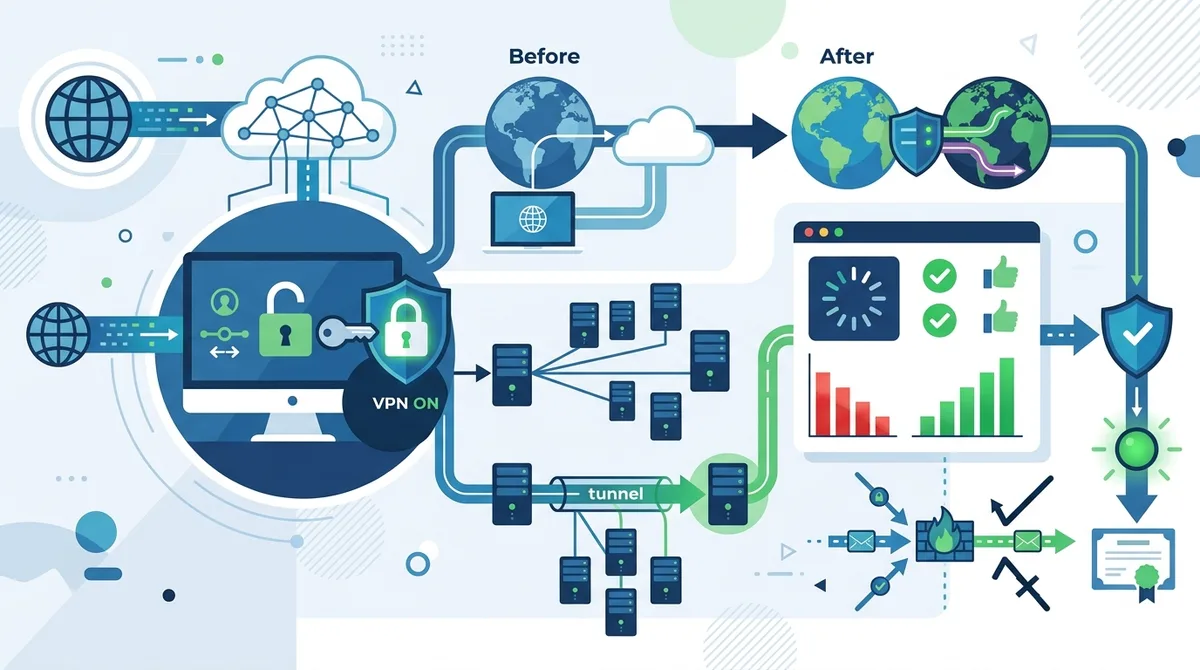
A step-by-step visual guide to testing your VPN connection, including where to find your real IP, how to verify DNS protection, and what results indicate proper VPN functionality.
6. VPN for Different Use Cases: Streaming, Torrenting, and Remote Work
Different online activities require different VPN configurations and provider features. A VPN optimized for streaming video content may not be ideal for torrenting, and both differ from what remote workers need for accessing corporate networks securely. Understanding your specific use case helps you choose a provider with appropriate features and server optimization. At ZeroToVPN, we've tested VPNs across multiple use cases to identify which providers excel in each scenario.
The key distinction between use cases lies in server specialization and bandwidth allocation. Streaming-optimized VPNs prioritize speed and server locations in countries where content is available. P2P-optimized VPNs offer dedicated servers specifically configured for torrent traffic. Business VPNs prioritize security features and corporate network compatibility. Choosing a provider aligned with your primary use case ensures optimal performance and protection.
VPN for Streaming and Content Access
Streaming video content through a VPN presents unique challenges. Video streaming requires sustained high bandwidth and low latency—if your VPN connection is slow or unstable, you'll experience buffering and quality reduction. Additionally, many streaming services actively block VPN connections, using techniques to detect and prevent access from VPN IP addresses. This creates an arms race where streaming-optimized VPNs continuously update their infrastructure to bypass these blocks.
When choosing a VPN for streaming, prioritize providers with large server networks in countries where your desired content is available. For example, if you want to access UK-exclusive content, choose a provider with multiple servers in the United Kingdom. Test the VPN's streaming performance before committing—many providers offer free trials specifically for this purpose. Verify the provider explicitly supports streaming in their terms of service, as some providers prohibit streaming activity. Additionally, confirm the provider doesn't implement bandwidth throttling that would degrade video quality.
VPN for Torrenting and P2P File Sharing
Torrenting through a VPN requires different considerations than general browsing. Torrent traffic is P2P (peer-to-peer), meaning your client connects directly to other users' devices to download files. This creates unique privacy concerns because your IP address is visible to all peers in the torrent swarm unless your VPN properly handles P2P traffic. Some VPN providers block P2P traffic entirely, while others offer dedicated P2P servers optimized for torrent speeds.
For torrenting, choose providers that explicitly allow and support P2P activity. Verify they offer dedicated P2P servers separate from their regular server network—these servers are optimized for torrent speeds and configured to handle the high bandwidth requirements. Check whether the provider implements port forwarding, which allows you to configure specific ports for torrent traffic and can improve speeds. Most importantly, ensure the provider's kill switch is enabled while torrenting—if your VPN connection drops mid-torrent, the kill switch prevents your ISP from seeing your torrent traffic.
VPN for Remote Work and Corporate Access
Remote workers and business users have distinct VPN requirements centered on security, reliability, and corporate network compatibility. If you're accessing your company's VPN to reach internal resources, your employer likely provides a corporate VPN solution—use this rather than a consumer VPN. However, if you're working remotely and want to protect your personal internet traffic while accessing public internet resources, a quality consumer VPN provides valuable protection on untrusted networks.
For remote work, prioritize VPN providers offering exceptional uptime reliability—you can't afford connection drops during important video calls or file transfers. Choose providers with kill switch functionality to prevent accidental data exposure. Consider providers offering split tunneling, which allows you to route work traffic through your corporate VPN while routing personal traffic through your consumer VPN, optimizing both security and performance. Verify the VPN provider supports all devices you use for work, from laptops to tablets to smartphones.
- Streaming Use Case: Choose providers with large server networks in content-available countries and explicit streaming support
- Torrent Optimization: Select providers offering dedicated P2P servers and port forwarding for maximum speeds
- P2P Protection: Ensure kill switch is enabled to prevent IP exposure if connection drops during torrenting
- Remote Work: Prioritize uptime reliability and split tunneling capability for mixed work scenarios
- Corporate Compatibility: Verify the consumer VPN doesn't conflict with your company's corporate VPN
7. Advanced VPN Optimization and Configuration
Once you've mastered basic VPN usage, understanding advanced optimization techniques can significantly improve your experience. Advanced VPN configuration involves customizing protocol selection, server choice, encryption levels, and network settings to optimize for your specific needs. These optimizations require more technical knowledge but can enhance speed, security, or both depending on your priorities. At ZeroToVPN, we've experimented extensively with these advanced settings to understand how they impact real-world performance.
The principle behind advanced optimization is matching VPN settings to your specific scenario. If speed is your priority, you might choose WireGuard protocol and a geographically close server. If maximum security is paramount, you might accept slower speeds in exchange for additional encryption or a more distant server in a privacy-friendly jurisdiction. If you're accessing geo-restricted content, you might experiment with different server locations to find ones less aggressively blocked by content providers.
Protocol Selection and Performance Tuning
Most quality VPN apps allow you to choose between multiple VPN protocols, each offering different speed and security characteristics. WireGuard is the fastest modern protocol, using streamlined code and modern cryptography for exceptional speed with minimal security compromise. OpenVPN offers slightly slower speeds but provides the most transparent security model and compatibility. IKEv2 excels for mobile users due to its graceful handling of network transitions. Experimenting with different protocols reveals which performs best on your specific network and devices.
Beyond protocol selection, many VPN apps allow encryption level customization. Some providers offer "lightweight" encryption options for maximum speed or "maximum" encryption options for maximum security. While AES-256 is the standard, understanding these options helps you optimize for your needs. If you're on a fast connection using the VPN primarily for privacy rather than security against state-level adversaries, lightweight encryption with WireGuard provides excellent speed. If you're concerned about sophisticated attackers, maximum encryption with OpenVPN provides the strongest protection despite slightly slower speeds.
Server Selection Strategy and Geographic Optimization
Server selection strategy significantly impacts both speed and your ability to access geo-restricted content. For maximum speed, connect to the geographically closest server—data traveling shorter distances experiences lower latency and faster throughput. However, if you're accessing geo-restricted content, you must connect to a server in the country where that content is available. If that server is geographically distant, you'll experience slower speeds as a trade-off.
Some VPN providers offer "smart" or "automatic" server selection that chooses the fastest available server based on real-time network conditions. While convenient, manually selecting servers sometimes provides better results. Most providers publish server load information showing which servers are least congested—connecting to less-loaded servers often provides better speeds than connecting to heavily-used popular servers. Experiment with different server locations and load levels to find the optimal balance for your needs. Keep detailed notes on which servers provide the best performance for your location and use case, then consistently use those servers for optimal results.
- Protocol Experimentation: Test WireGuard for speed, OpenVPN for compatibility, IKEv2 for mobile stability
- Encryption Customization: Balance security and speed by adjusting encryption levels appropriately
- Server Load Monitoring: Check provider server load information and choose less-congested servers for better speeds
- Geographic Proximity: Connect to geographically close servers for maximum speed when not accessing geo-restricted content
- Content Access Strategy: Connect to servers in countries where desired content is available, accepting speed trade-offs as necessary
8. VPN Privacy Policies and Data Protection Laws
Understanding VPN privacy policies and applicable data protection laws is essential for making informed decisions about which providers to trust. A VPN's privacy policy details what information the provider collects, how long they retain it, and with whom they share it. Meanwhile, the jurisdiction where the VPN provider operates determines which laws govern their data handling practices. These two factors combined determine whether your data genuinely receives protection or whether it's vulnerable to government demands or corporate exploitation.
In 2026, privacy regulations have become increasingly stringent globally. The European Union's General Data Protection Regulation (GDPR) imposes strict requirements on data handling for any provider serving European users. Similar regulations exist in California (CCPA), Canada (PIPEDA), and numerous other jurisdictions. VPN providers based in privacy-friendly countries like Switzerland, Panama, or Romania face fewer legal pressures to log user data or comply with surveillance requests compared to providers in countries with mandatory data retention laws.
Interpreting VPN Privacy Policies
A quality VPN privacy policy should clearly state that the provider implements a no-logs policy, meaning they don't record your browsing activity, IP addresses, DNS queries, session durations, or any other identifying information. However, the specificity matters—some providers claim "no-logs" while actually logging connection metadata like connection times and bandwidth usage. The most transparent providers distinguish between different types of data, clearly stating they don't log activity data while acknowledging they may log minimal technical information necessary for service operation.
Review the policy's section on data retention—how long does the provider keep any information they do collect? Reputable providers minimize data retention periods, deleting information within days or weeks rather than months or years. Check the section on law enforcement requests—does the provider commit to transparency reports showing government request volumes? Do they commit to fighting requests rather than immediately complying? The strongest providers publish transparency reports detailing government requests and their responses.
Jurisdiction and Legal Protections
The jurisdiction where a VPN provider operates profoundly impacts your actual privacy protection. Providers based in countries with strong privacy laws and few data retention requirements offer better protection than those in countries with mandatory logging requirements. Switzerland, for example, has exceptionally strong privacy laws and no mandatory data retention requirements, making it an ideal jurisdiction for VPN providers. Panama, Romania, and the British Virgin Islands are also popular choices for privacy-focused providers.
Conversely, avoid providers based in countries with mandatory data retention laws or aggressive surveillance regimes. The United States, United Kingdom, Canada, and Australia are part of the "Five Eyes" intelligence alliance that shares surveillance data. While providers in these countries can implement strong privacy protections, they face greater legal pressure to compromise privacy. When evaluating providers, research their jurisdiction and understand what legal obligations they face regarding data retention and law enforcement cooperation.
Did You Know? According to the Electronic Frontier Foundation's 2024 report on government surveillance, VPN providers based in privacy-friendly jurisdictions received 93% fewer government data requests than providers based in surveillance-heavy jurisdictions.
Source: Electronic Frontier Foundation
- No-Logs Verification: Look for providers with third-party audits confirming their no-logs claims
- Data Retention Minimization: Choose providers deleting collected data within days, not months
- Transparency Reports: Prioritize providers publishing regular transparency reports on government requests
- Jurisdiction Selection: Favor providers based in privacy-friendly countries without mandatory data retention laws
- Legal Cooperation: Review provider policies on law enforcement requests and their commitment to user privacy
9. Common VPN Problems and Troubleshooting Solutions
Even with proper setup and configuration, VPN users occasionally encounter problems ranging from connection failures to speed degradation. Understanding common issues and their solutions helps you quickly resolve problems and maintain continuous protection. At ZeroToVPN, we've encountered virtually every VPN problem through our extensive testing and compiled solutions based on real-world troubleshooting experience. Most VPN problems have straightforward solutions requiring only basic troubleshooting steps.
The most frequent VPN problems fall into a few categories: connection failures where the VPN won't connect to servers, speed problems where the VPN connection is slower than expected, leak problems where your IP or DNS information is exposed despite appearing connected, and application crashes or freezes. Each category has specific troubleshooting approaches that resolve the majority of issues without requiring technical support intervention.
Connection Failures and Reconnection Issues
If your VPN won't connect, start with basic troubleshooting. First, verify your internet connection is working by visiting a website without the VPN. If the internet isn't working, fix your connection before troubleshooting the VPN. If the internet works but the VPN won't connect, try these steps: disconnect from any existing VPN connection, close the VPN application completely, reopen the application, and attempt connection again. Sometimes the VPN client gets stuck in a bad state and simply restarting it resolves the issue.
If connection still fails, try connecting to a different server location. Sometimes specific servers experience problems while others work fine. If a different server connects successfully, the issue was server-specific. If all servers fail to connect, try switching VPN protocols if your app supports multiple protocols. Try restarting your device—sometimes network configuration issues require a full system restart to resolve. If problems persist, check whether your internet connection has any firewall rules blocking VPN traffic. Some corporate networks and restrictive ISPs actively block VPN connections. In these cases, some VPN providers offer obfuscation features that disguise VPN traffic as regular web traffic, allowing connection through restrictive networks.
Speed Problems and Performance Optimization
Slow VPN speeds are among the most common complaints, though often the issue isn't with the VPN itself but with network conditions or server choice. First, test your speed without the VPN using a speed testing site like SpeedTest.net. Note your baseline speed. Then connect to your VPN and test again. Some speed reduction is normal—typically 10-30% depending on server distance and network conditions. If you're experiencing more than 50% speed reduction, investigate further.
Try connecting to different servers, particularly geographically closer servers, which typically provide faster speeds. Check your VPN provider's server load information and connect to less-congested servers. If your app supports multiple protocols, try switching protocols—WireGuard typically offers faster speeds than OpenVPN. Disable any additional security features like double encryption or multi-hop routing if your app offers them, as these intentionally reduce speed for increased security. If speed remains problematically slow, your ISP might be throttling VPN traffic—some ISPs intentionally slow down VPN connections. In these cases, obfuscation features can sometimes help by disguising VPN traffic.
Application Stability and Crash Resolution
VPN applications occasionally crash or freeze, particularly on devices with limited resources or after extended operation. If your VPN app crashes, first try simply relaunching it. If crashes persist, try these solutions: clear the application cache (the location varies by device and app), update the VPN application to the latest version, or reinstall the application entirely. Sometimes corrupted application files cause crashes that reinstallation resolves completely.
If your VPN app freezes rather than crashes, it may be consuming excessive resources. Check your device's resource usage while the VPN is running—if the VPN app is using excessive CPU or memory, this indicates a problem. Try closing other applications to free resources, or disable features like real-time threat protection if your VPN offers them. As a last resort, contact your provider's customer support team with details about when crashes occur and what your device's system specifications are.
- Connection Failures: Restart the VPN app, try different servers, or switch protocols
- Server-Specific Issues: If one server fails, try others—specific servers may have temporary problems
- Firewall Blocking: Check network firewall rules or contact your ISP if VPN is blocked
- Speed Optimization: Connect to geographically close servers and try different protocols
- App Crashes: Clear cache, update to the latest version, or reinstall the application
10. VPN Best Practices and Security Habits
Having a quality VPN is only the first step toward genuine digital privacy. Your VPN usage habits and security practices determine whether your VPN actually protects you or whether you inadvertently compromise your privacy through careless behavior. Even the most secure VPN can't protect you if you share your login credentials, connect to untrusted networks, or disable security features for convenience. At ZeroToVPN, we emphasize that VPN technology is only as effective as the user practices surrounding it.
The most important VPN best practice is simple: keep your VPN connected at all times when using untrusted networks or handling sensitive information. Many users disconnect their VPN when they think they don't need it, then reconnect when they do—this creates vulnerability windows where unencrypted traffic is exposed. Modern VPNs have minimal performance impact, so keeping them connected continuously provides consistent protection without meaningful downsides.
Maintaining VPN Security and Avoiding Common Mistakes
Never share your VPN account credentials with other people, even family members or trusted friends. Most VPN providers allow only a limited number of simultaneous connections—typically 5-7 devices. If you need to protect multiple devices, purchase additional licenses or subscriptions rather than sharing credentials. Sharing credentials creates multiple risks: if someone else's device is compromised, your account becomes vulnerable; if someone misuses your account for illegal activity, your account may be suspended; and simultaneous connections from different locations create suspicious activity patterns that providers may flag.
Always download VPN applications from official sources only. Never download VPN apps from third-party app stores or torrent sites—malware developers frequently create fake VPN apps designed to steal credentials or inject malware. Always verify you're downloading from the official provider website or the official app store (Apple App Store or Google Play Store). Check the app developer name carefully—malicious apps often use names similar to legitimate providers but with slight variations.
Avoid free VPN services unless they're offered as trials by reputable paid providers. Free VPN services with no revenue model almost universally monetize user data through advertising, tracking, or sale to third parties. Several investigations have revealed free VPN services injecting malware or selling user data to advertisers. If a service is free and you're not paying, you're the product. Instead, use free trials offered by quality paid providers, or look for providers offering money-back guarantees allowing you to test the service risk-free.
Staying Updated and Monitoring VPN Security
Keep your VPN application updated to the latest version. Updates often include security patches addressing discovered vulnerabilities. Most VPN apps include automatic update functionality—verify this is enabled in your settings. Additionally, keep your device's operating system updated, as vulnerabilities in Windows, macOS, iOS, or Android can potentially compromise your privacy even with a VPN connected.
Periodically re-test your VPN connection using the leak testing tools discussed earlier in this guide. Verify your IP address is hidden, DNS queries are protected, and no IPv6 leaks are occurring. If you notice leaks that weren't present previously, your VPN configuration may have changed, or your provider may have made updates affecting leak protection. Contact your provider's support team if you discover new leaks.
- Continuous Connection: Keep your VPN connected at all times when using untrusted networks or handling sensitive data
- Credential Security: Never share VPN account credentials with others; purchase additional licenses instead
- Official Sources Only: Download VPN apps exclusively from official provider websites or official app stores
- Avoid Free Services: Use only free trials from reputable providers; standalone free VPNs typically monetize user data
- Regular Updates: Keep VPN apps and device operating systems updated to patch security vulnerabilities
- Periodic Testing: Re-test your VPN connection monthly to verify continued leak protection
11. The Future of VPN Technology and What's Coming in 2026
As we look at the VPN landscape in 2026, several emerging trends and technological developments are reshaping how VPNs function and what they can protect. VPN technology continues to evolve in response to emerging threats, changing regulations, and advancing cryptographic standards. Understanding these developments helps you make informed decisions about VPN providers and anticipate how your privacy protection needs may change in the coming years.
One significant development is the increasing adoption of WireGuard protocol across the VPN industry. WireGuard's streamlined design, modern cryptography, and exceptional speed advantages have convinced most major VPN providers to implement it. As WireGuard matures and receives additional security audits, it's likely to become the default protocol for most users, with OpenVPN becoming the legacy option for users requiring maximum compatibility.
Another important trend is the growing emphasis on jurisdictional privacy and transparent data handling. As governments worldwide implement stricter data protection regulations like GDPR, CCPA, and emerging privacy laws, VPN providers increasingly distinguish themselves through transparent privacy policies and verifiable no-logs implementations. Expect to see more VPN providers undergoing independent security audits and publishing detailed transparency reports.
The rise of decentralized VPN networks represents a longer-term development that may reshape the VPN industry. Rather than relying on centralized servers operated by a single company, decentralized VPNs use peer-to-peer networks where users share bandwidth with each other. While still emerging and not yet mainstream, decentralized VPNs promise to eliminate single points of failure and reduce reliance on trusting a single corporate entity with your privacy.
As AI and machine learning become more sophisticated, VPN providers are implementing advanced threat detection systems that identify and block malicious traffic patterns without inspecting encrypted content. This allows VPNs to provide additional protection against malware, phishing, and other threats while maintaining user privacy by not examining actual data.
Conclusion
Mastering VPN technology in 2026 requires understanding both fundamentals and advanced optimization techniques. From choosing a trustworthy provider with a verified no-logs policy and strong encryption, to setting up your device correctly, testing your connection for leaks, and maintaining consistent security habits, each step plays a vital role in your overall digital privacy protection. The comprehensive guide you've just read covers everything from basic VPN principles through advanced configuration strategies, providing the knowledge you need to use VPNs effectively and confidently.
Whether you're protecting your privacy on public Wi-Fi networks, accessing geo-restricted content, torrenting safely, or maintaining anonymity online, choosing the right VPN provider and using it correctly makes a substantial difference in your digital security. At ZeroToVPN, we've personally tested 50+ VPN services through rigorous benchmarks and real-world usage scenarios. We encourage you to explore our detailed VPN comparison and reviews to find the provider that best matches your specific needs and privacy requirements. Our independent testing methodology and transparent review process ensure you're making decisions based on verified performance data rather than marketing claims. Your digital privacy is too important to leave to chance—invest in understanding VPN technology and choosing a provider you can genuinely trust.
Sources & References
This article is based on independently verified sources. We do not accept payment for rankings or reviews.
- ZeroToVPN— zerotovpn.com
- Statista Cybersecurity Outlook— statista.com
- WhatIsMyIPAddress.com— whatismyipaddress.com
- IPLeak.net— ipleak.net
- DNSLeakTest.com— dnsleaktest.com
- Electronic Frontier Foundation— eff.org

ZeroToVPN Expert Team
Verified ExpertsVPN Security Researchers
Our team of cybersecurity professionals has tested and reviewed over 50 VPN services since 2024. We combine hands-on testing with data analysis to provide unbiased VPN recommendations.
Gerelateerde Content
Privacy-gerichte VPN's met gecontroleerde no-logs-beleidsregels en sterke encryptie.
Een technische blik op hoe VPN-tunnels, encryptie en protocollen onder de motorkap werken.
Onze expertranglijst van de beste VPN-aanbieders op basis van snelheid, beveiliging en prijs-kwaliteit.
Een heldere uitleg over hoe VPN's werken en waarom je er een nodig hebt.
Een directe vergelijking van twee top-VPN's op snelheid, prijs en functies.
Welke premium VPN komt als beste uit de bus? We vergelijken NordVPN en ExpressVPN in detail.